eCommix - Shopify Sync Add-On
Add a sidebar inside every Google Sheet, so you can sync directly from your spreadsheet. Export live store data, bulk-edit it, and push changes back - all without switching tabs.
Free plan available
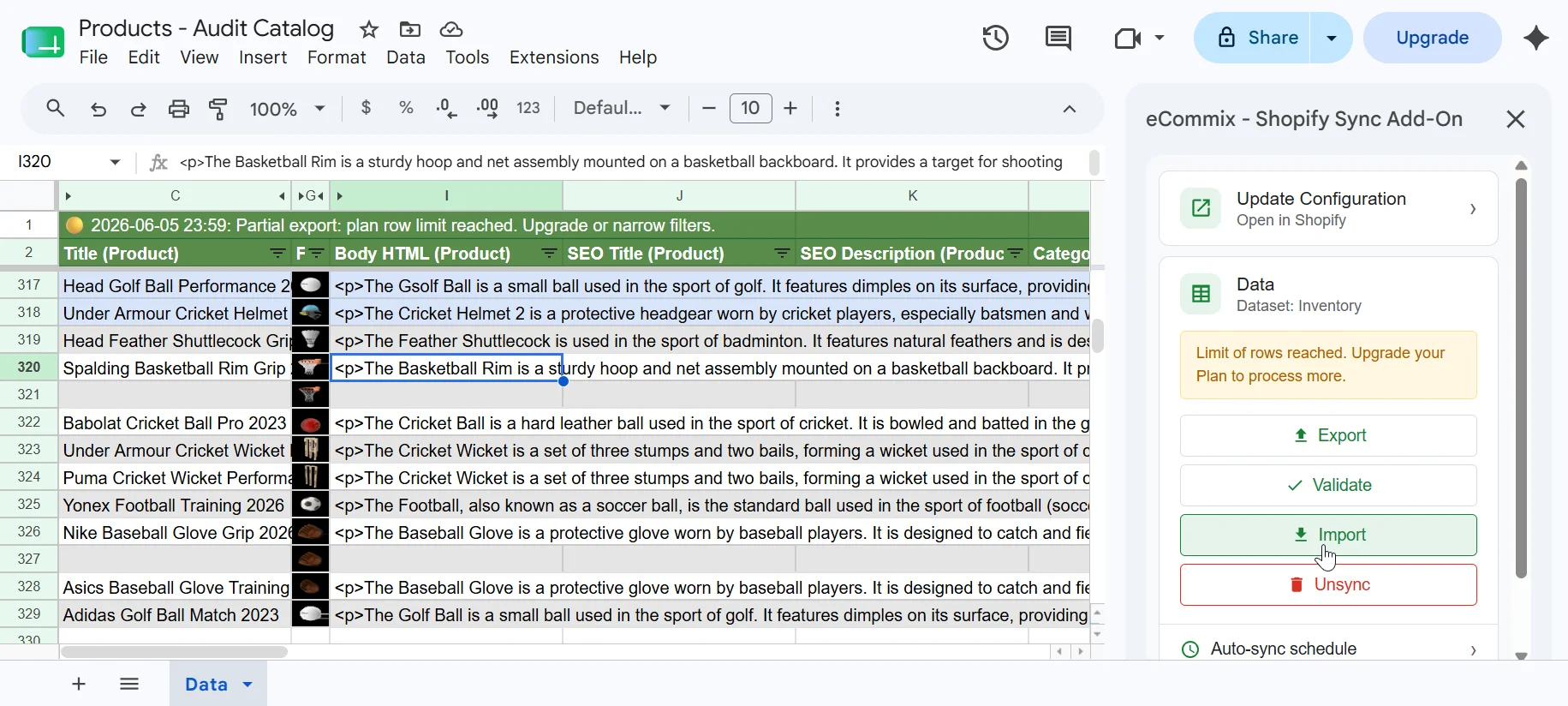
Up and running in 3 steps
Install the Sheets add-on
Open any Google Sheet, go to Extensions → Add-ons → Get add-ons, and search for eCommix. Install it once - it's available in every sheet.
Install the Shopify app
If you haven't already, install eCommix from the Shopify App Store and connect your Google account.
Open the sidebar and sync
Find the add-on under Extensions. Choose what to export or import and your Shopify data flows straight into the sheet.
Trigger exports without leaving your spreadsheet
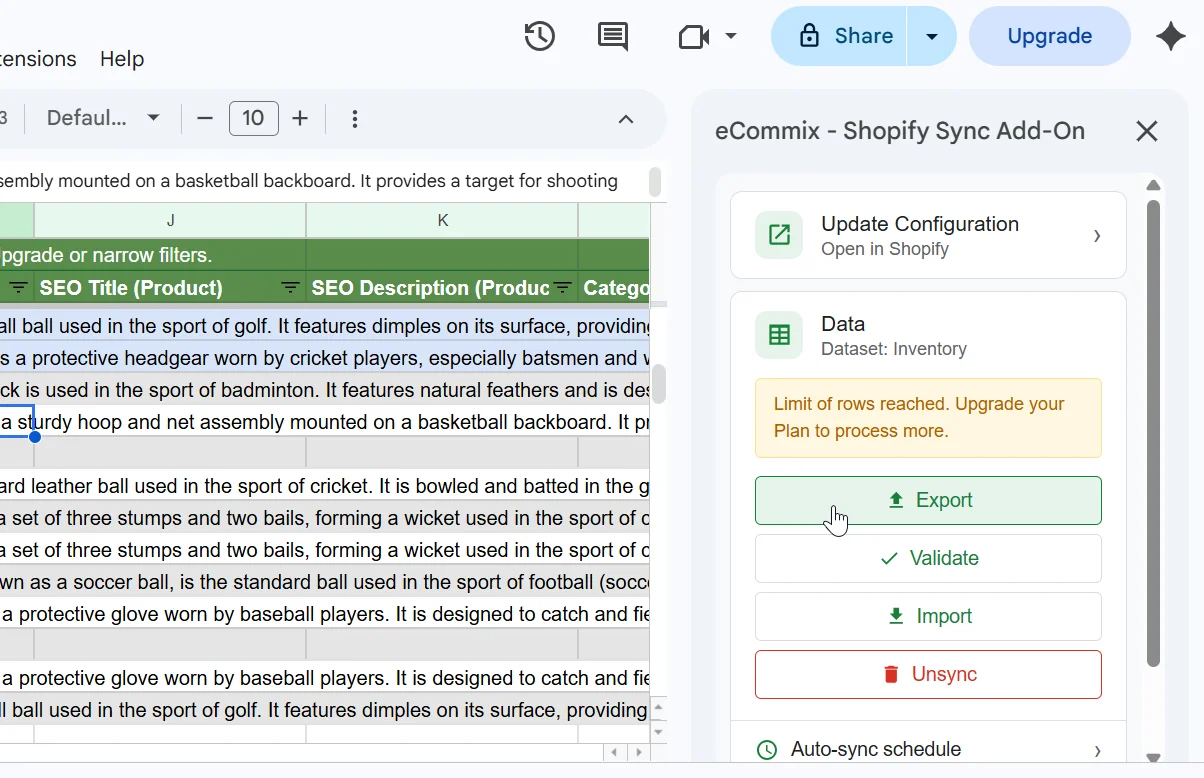
Open the eCommix sidebar in Google Sheets and pull your Shopify products, orders, inventory, or customers directly into the current sheet. No browser tabs, no copy-paste, no CSV download.
- Sidebar opens inside Google Sheets from the Extensions menu
- Choose your data type and columns in one click
- Data lands in the active sheet, exactly where you need it
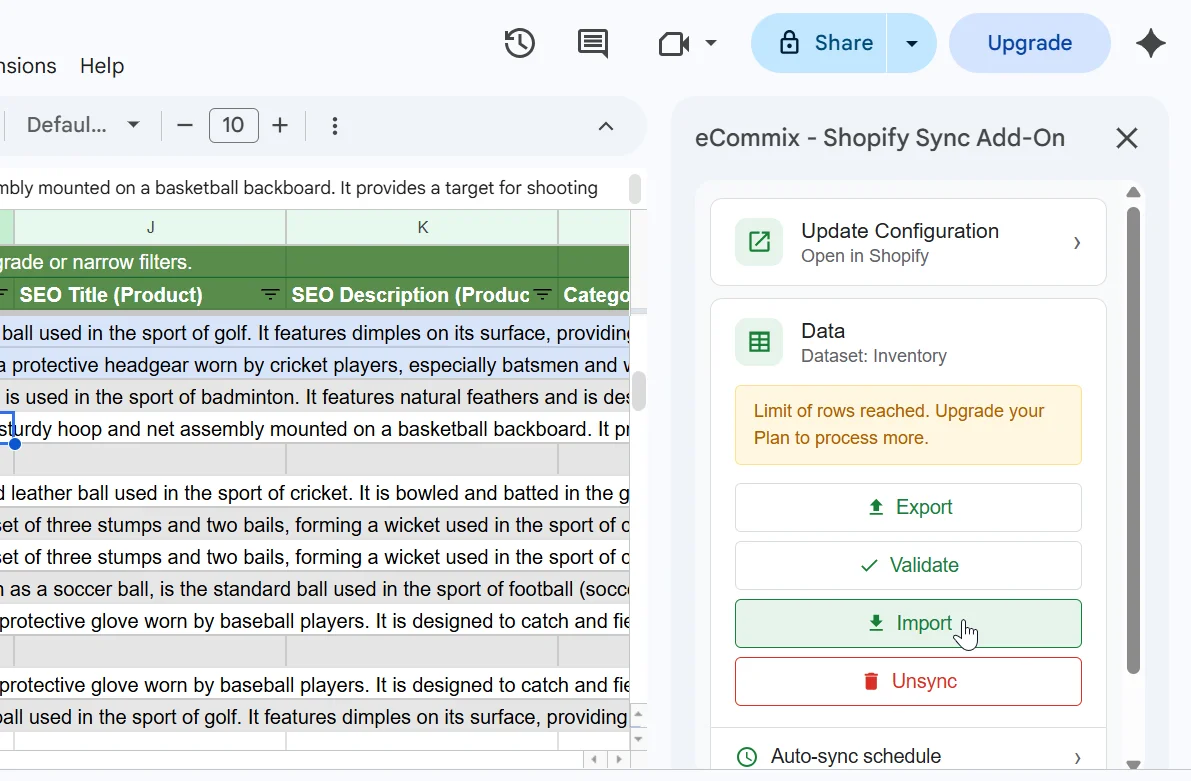
Push edits back to Shopify from the same sidebar
Made your changes? Hit Sync in the sidebar and eCommix reads your sheet, builds a diff, and pushes only the changed rows back to Shopify. Review the before/after, confirm, done.
- Reads the current sheet automatically - no file upload needed
- Shows a full diff before writing anything to Shopify
- Only changed cells are synced - unchanged rows are skipped
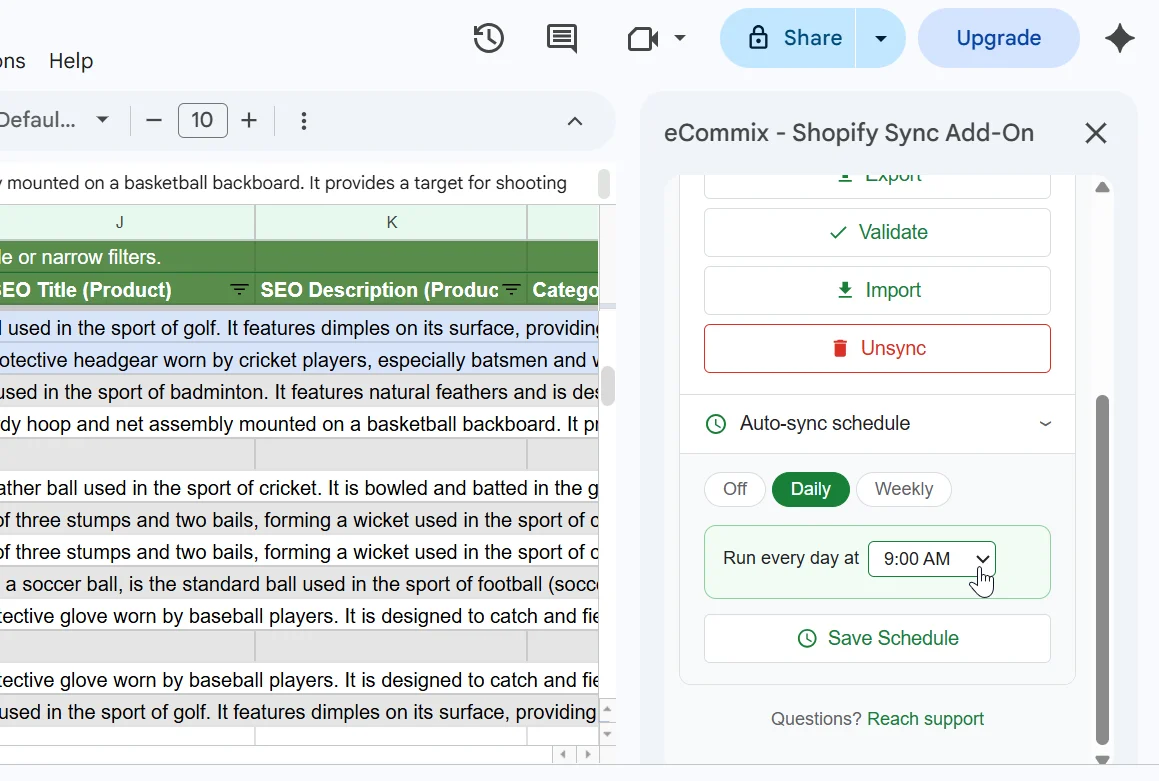
Set up auto-refresh and walk away
Configure a recurring sync schedule from the sidebar - hourly, daily, or weekly. eCommix refreshes your sheet automatically so the data is always current when you open it.
- Hourly, daily, or weekly refresh options
- Runs in the background - no need to keep Sheets open
- Share the sheet with your team and everyone sees live data
No more switching tabs
Trigger everything from the sidebar: one-way exports, two-way imports, scheduled refreshes, ShopifyQL queries, and metafield editing.
Frequently asked questions
Do I need the Shopify app and the Sheets add-on?
Yes - both work together. The Shopify app handles the connection to your store. The Sheets add-on gives you the sidebar inside Google Sheets to trigger syncs without switching tabs.
Does the add-on work in any Google Sheet?
Yes. Once installed, the eCommix add-on is available from the Extensions menu in every Google Sheet in your account.
Can multiple team members use the same add-on?
Each person who wants sidebar access needs to install the add-on in their own Google account. The underlying Shopify connection is shared - managed through the Shopify app.
Is the add-on free?
The add-on itself is free to install. Sync functionality is gated by your eCommix plan - the free plan lets you try it with a limited row count, paid plans unlock more.
What's the difference between using the add-on and using the Shopify App directly?
The Shopify App gives you more configuration options - presets, scheduled syncs, and ShopifyQL queries. The add-on is the fastest way to trigger a sync right from inside a sheet you're already working in.
Also useful for your store:
Shopify sync, right inside Google Sheets
Install both the Shopify app and the Sheets add-on to get started. Free plan available.