Bulk edit Shopify prices in Google Sheets
Export prices, compare-at prices, and region catalog overrides to a single spreadsheet. Apply formulas, edit in bulk, and sync every change back to Shopify in one click.
Free plan available
See it in action
Every pricing field. Editable in bulk.
Base prices, compare-at prices, and per-catalog overrides - all in one sheet, all editable at once.
The sale price shown to customers at checkout
The original price shown as strikethrough on the storefront
Your cost of goods - use it to write margin-aware formulas
Per-catalog override prices for B2B, wholesale, or market segments
Strikethrough pricing per region catalog
Control which products are visible in each region catalog
Select the Prices template and export in one click
Open eCommix and choose "Products - Prices" from the Update Products category. Your entire catalog - SKU, Price, Compare At Price, and any region catalog prices - lands in Google Sheets in seconds. Every variant on one screen.
Bulk edit prices from Google Sheets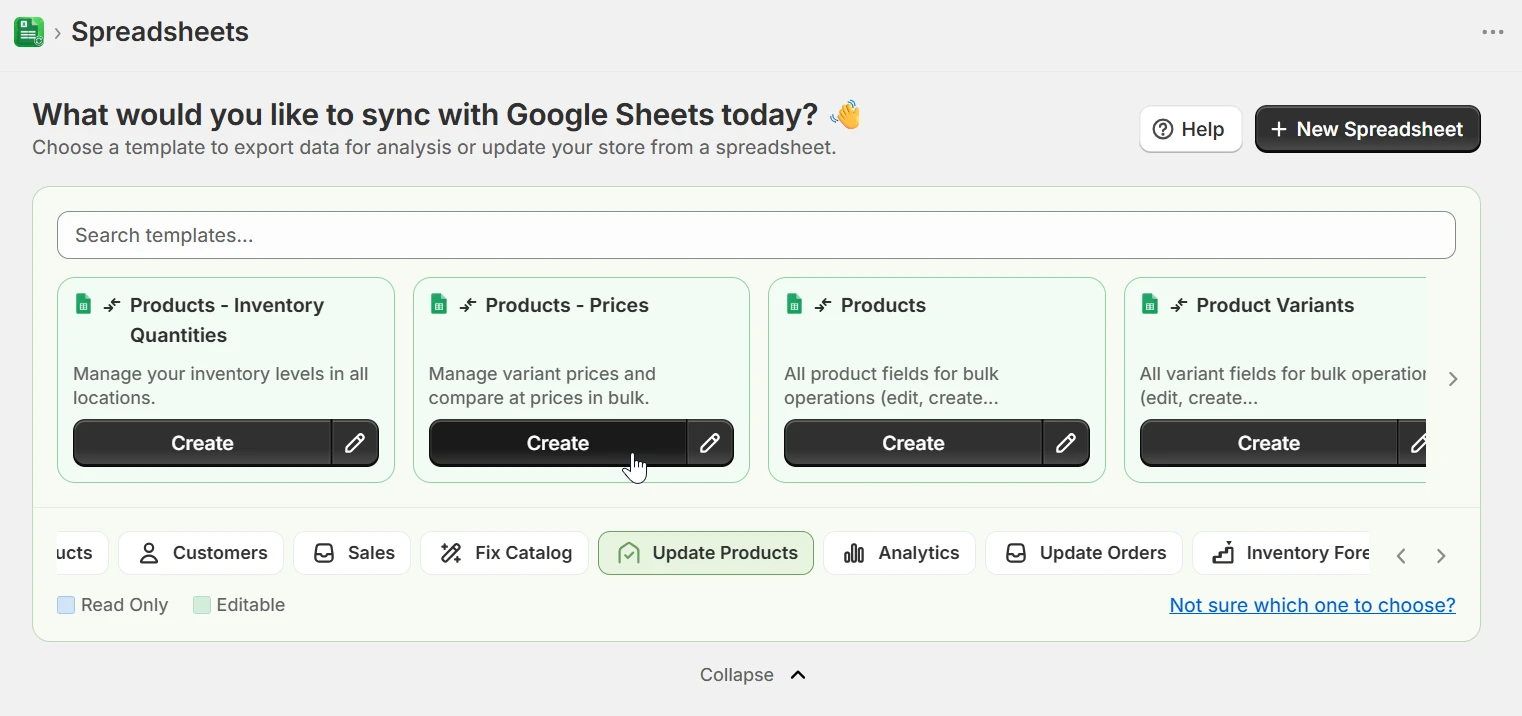
Filter by vendor, collection, type, or category
Before exporting, scope your sheet to exactly the products you need. Filter by Vendor, Collections, Type, Category, Tags, or any other product field. Only matching products land in the sheet - keeping it focused and making bulk formulas easier to apply without touching the wrong SKUs.
Bulk edit prices from Google Sheets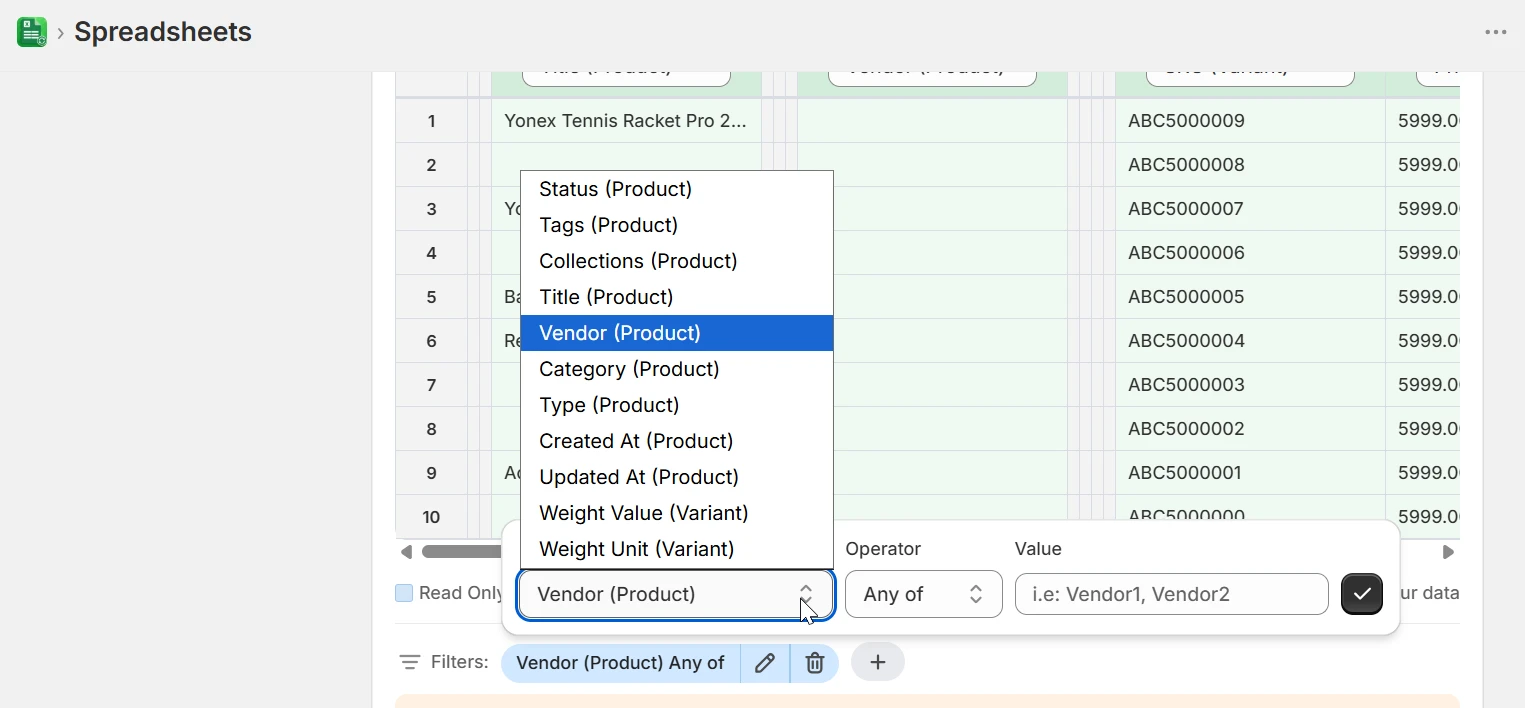
Edit prices and region catalog overrides side by side
The sheet shows your base price and compare-at price next to each region catalog column. Type new values, paste from a supplier sheet, or write a formula - =C3*1.2 to apply a 20% markup across a column. Every catalog is editable in the same row, no switching between views.
Bulk edit prices from Google Sheets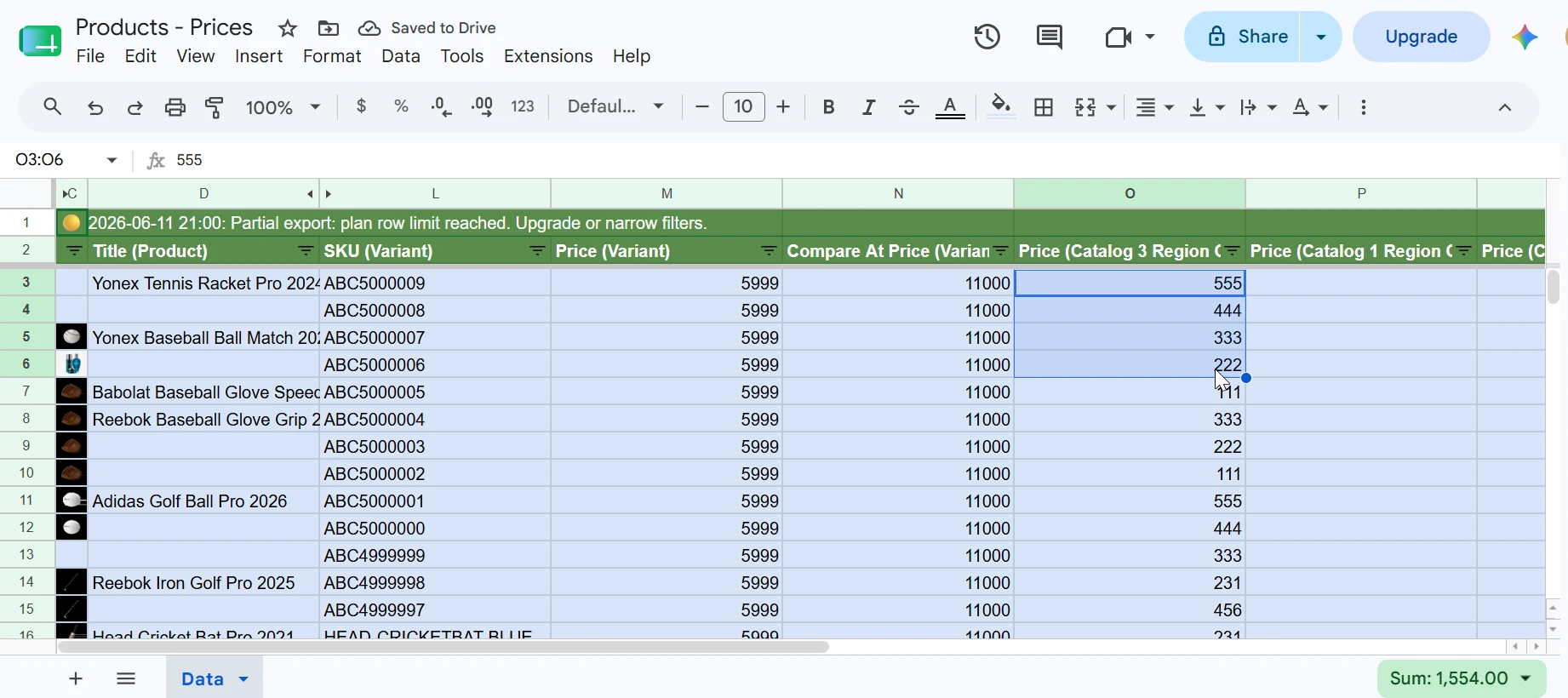
Add region catalogs to any price sheet
In Manage Columns, each region catalog appears as its own group with Published, Price, and Compare At Price fields. Tick the catalogs you need - B2B, wholesale, regional markets - and they become editable columns in your sheet alongside the base price. Update all pricing tiers in one import.
Bulk edit prices from Google Sheets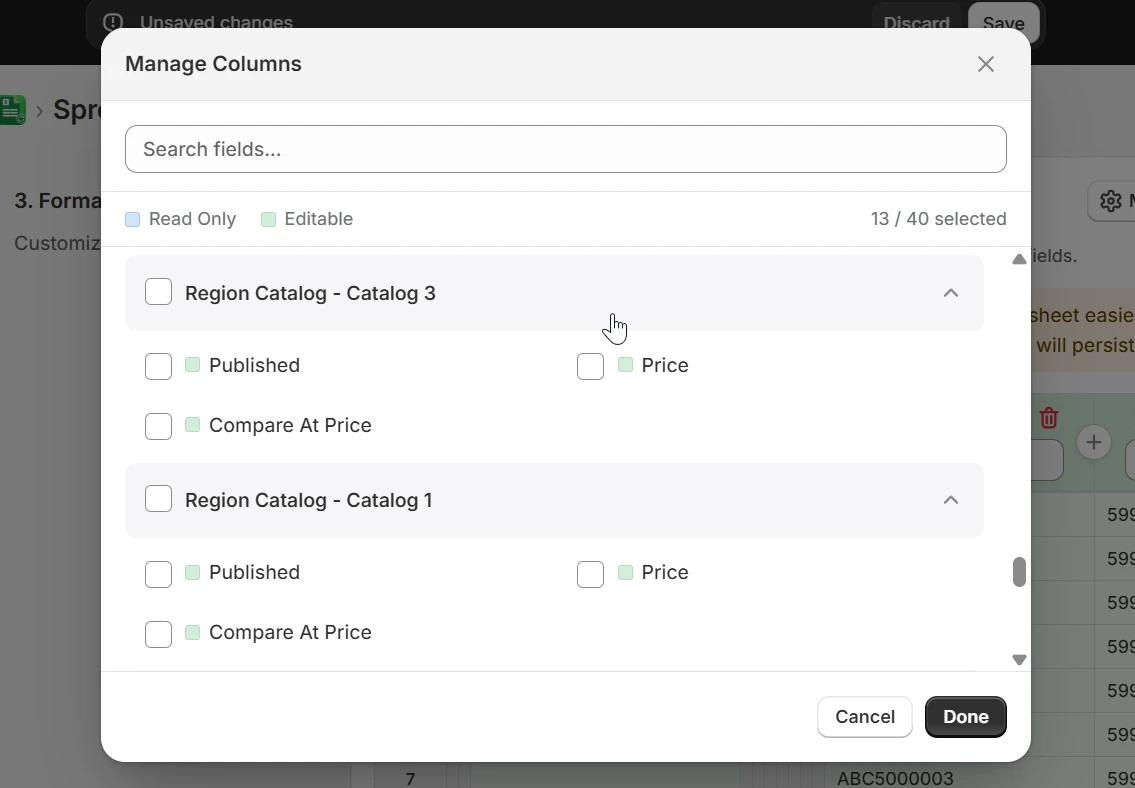
Validate and sync back to Shopify
Return to eCommix, hit Export to pull the latest prices, make your changes in the sheet, then Import. eCommix validates every row before writing anything and pushes only the rows that changed. Base prices, compare-at prices, and all region catalog overrides sync in a single import.
Bulk edit prices from Google Sheets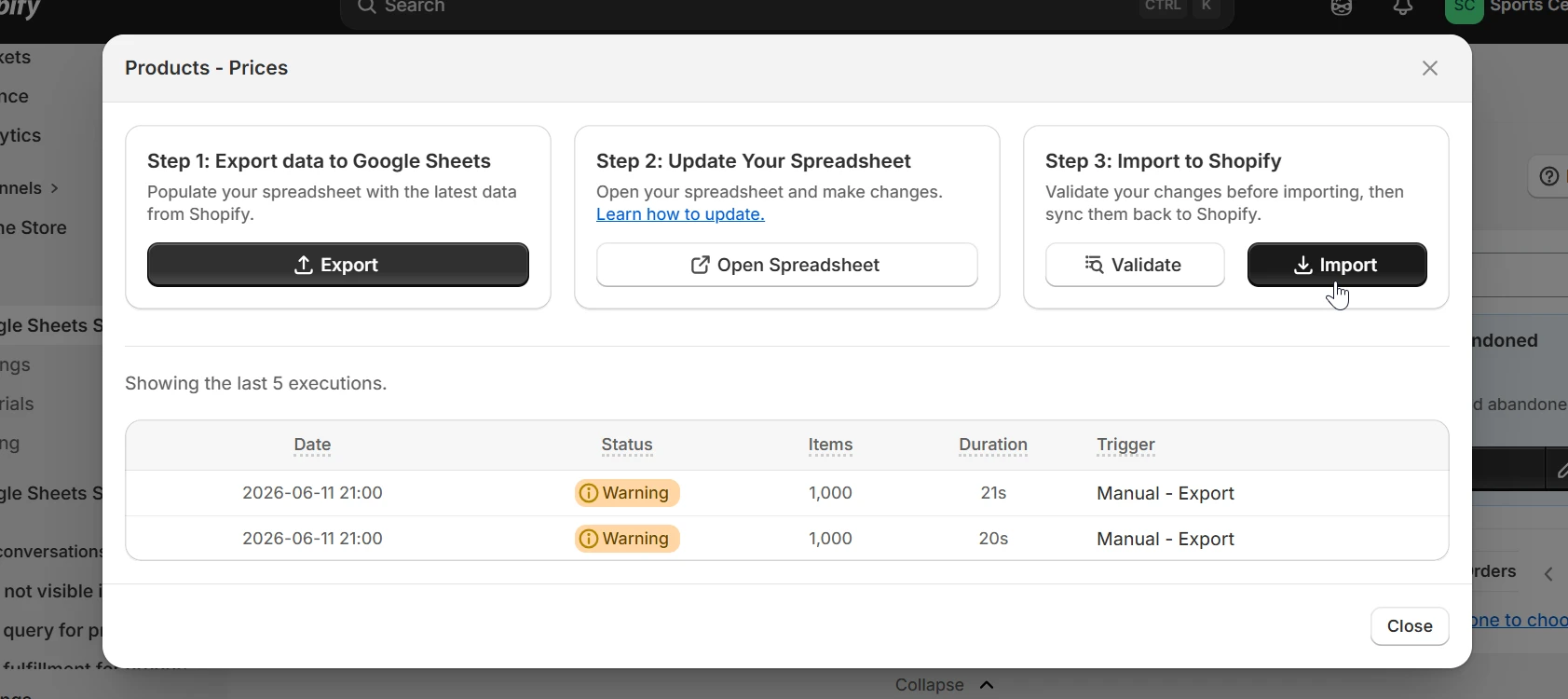
When to bulk-edit prices
Any time repricing more than a handful of products in the Shopify admin would take too long.
Seasonal sale rollout
Set compare-at prices to the original values and drop the sale prices across your whole catalog. Use a Sheets formula to apply the discount percentage in one column, review the diff, and import. No clicking through individual products.
Supplier cost increase
Paste the new cost column from your supplier's file, write a margin formula against it, and bulk-update prices before the new stock lands. Catch any SKUs where margin would go negative before they go live.
B2B or wholesale pricing
Use a region catalog to set a separate price tier for wholesale customers. Update base price and catalog price in the same sheet, import once. The storefront shows each customer the right price automatically.
Market-specific pricing
Shopify region catalogs let you set different prices for different countries or markets. Export the catalog columns for your target markets, adjust for currency, tax, or local competition, and sync all markets in one go.
Post-sale price restoration
After a promotion ends, re-import the original sheet to restore all prices and clear compare-at values. Keep a copy of the pre-sale export and you have a one-click rollback.
New product line pricing
When onboarding a new supplier or product line, set prices and compare-at prices for every variant before publishing. Review the full set in the sheet before any product goes live.
Frequently asked questions
Can I update compare-at prices in bulk?
Yes. The Products - Prices template exports both Price and Compare At Price for every variant. Edit both in the sheet and they sync together in one import.
What are region catalogs and how do they work?
Region catalogs are Shopify's way to set different prices for different customer groups or markets - for example B2B customers, wholesale buyers, or specific countries. eCommix adds one column group per catalog (Published, Price, Compare At Price) so you can update all pricing tiers in the same sheet and import.
Can I use Sheets formulas to calculate prices?
Yes. Because your cost per item is in the sheet alongside the price, you can write margin-aware formulas like =CostPerItem*1.4 to apply a 40% markup. Apply the formula to the whole column, review the results, then import.
Will importing overwrite prices I didn't change?
No. eCommix only writes back cells you actually edited. If you updated 50 SKUs out of 1,000 rows, only those 50 are changed in Shopify.
Can I filter the export to a specific collection or vendor?
Yes. When configuring the export you can filter by Vendor, Collections, Type, Category, Tags, Status, or any other product field - including combining multiple filters at once. Only the matching products land in your sheet, so formulas apply exactly where you intend.
Is there a way to roll back a pricing mistake?
Keep a copy of the sheet before making changes. If something goes wrong, re-import the original sheet to restore the previous prices. Because eCommix only writes changed rows, importing the old sheet will only touch the rows that were modified.
Stop repricing products one by one
Free plan available. No credit card. Works with any Shopify store.
Bulk edit prices from Google Sheets