Your Shopify store, live in Google Sheets
Sync, bulk edit, auto-fulfill orders, and schedule reports - all from the spreadsheet your team already uses. No CSV exports. No developer help.
Free plan available
Sync Shopify data to Google Sheets
Pull any Shopify data into a regular spreadsheet, on demand or on a schedule.
Your Shopify data lands in a regular Google Sheet - no new tools to learn
Refresh store data manually or on a recurring schedule
Export any Shopify resource - customers, refunds, metafields included
Build each sheet with only the columns you need
Run custom analytics queries and send results straight to Sheets
Trigger syncs from the add-on without leaving your spreadsheet
Edit in bulk, sync with one click
Make changes across hundreds of rows in Google Sheets - update titles, tags, prices, or inventory all at once. When you're ready, eCommix shows you a diff of every change before a single update goes to Shopify.
Start bulk editing free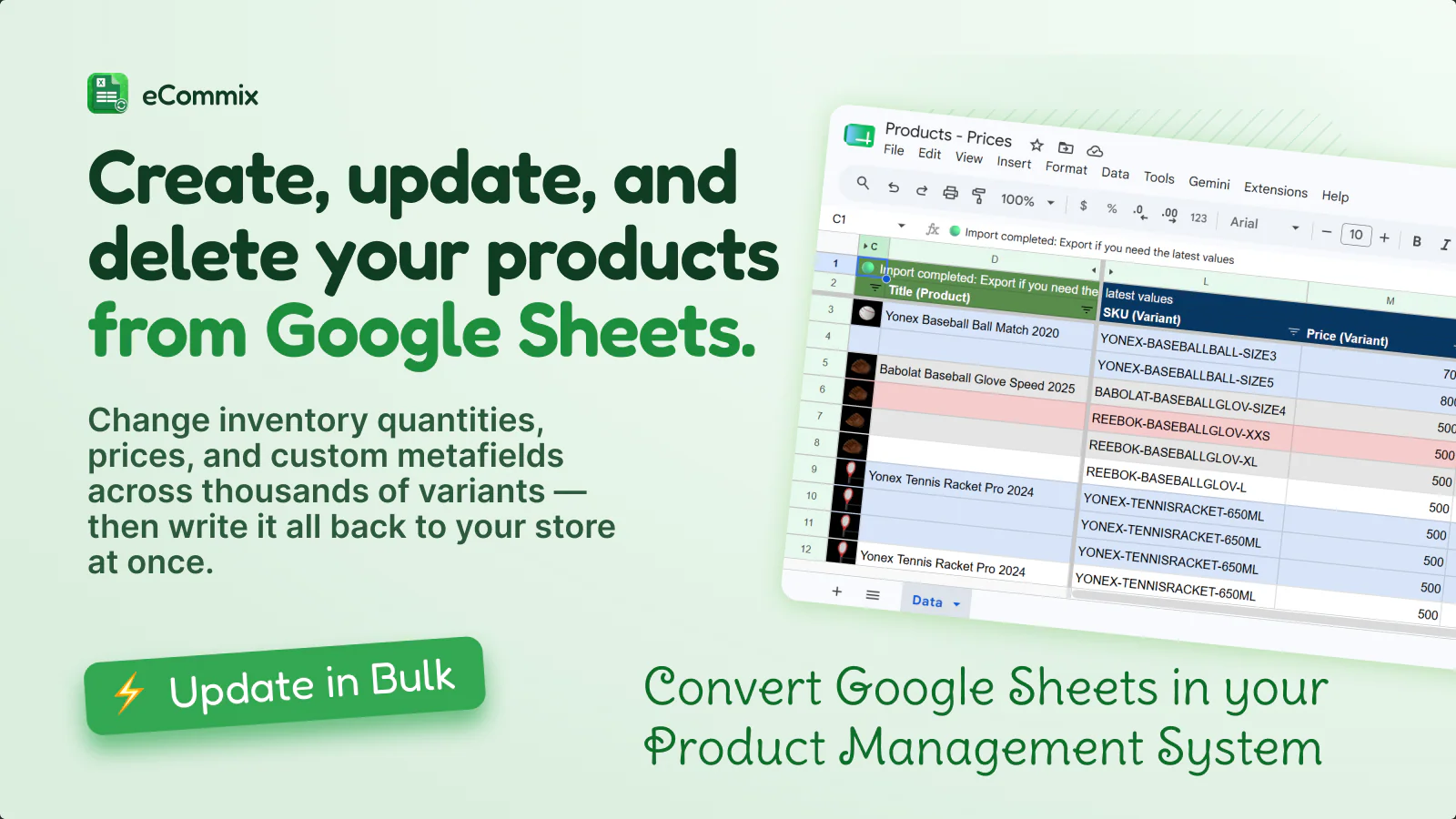
Write changes back to Shopify
Edit in the spreadsheet, validate the diff, push to Shopify - no one-by-one admin work.
Titles, tags, status, prices, SKUs, barcodes, inventory, and metafields
Add products, variants, product images, and customers from new rows
Remove products, variants, or images - with a confirmation step before anything is deleted
Tags, notes, fulfillment status, tracking numbers, and tracking companies
Let your warehouse add tracking in Sheets - eCommix syncs and notifies the customer
Review old and new values side-by-side before anything is written to Shopify
Auto-fulfill orders from tracking columns
Let your warehouse or 3PL fill in tracking numbers directly in Google Sheets. eCommix picks them up, marks the order fulfilled in Shopify, and sends the standard tracking notification to your customer.
Automate your fulfillment workflow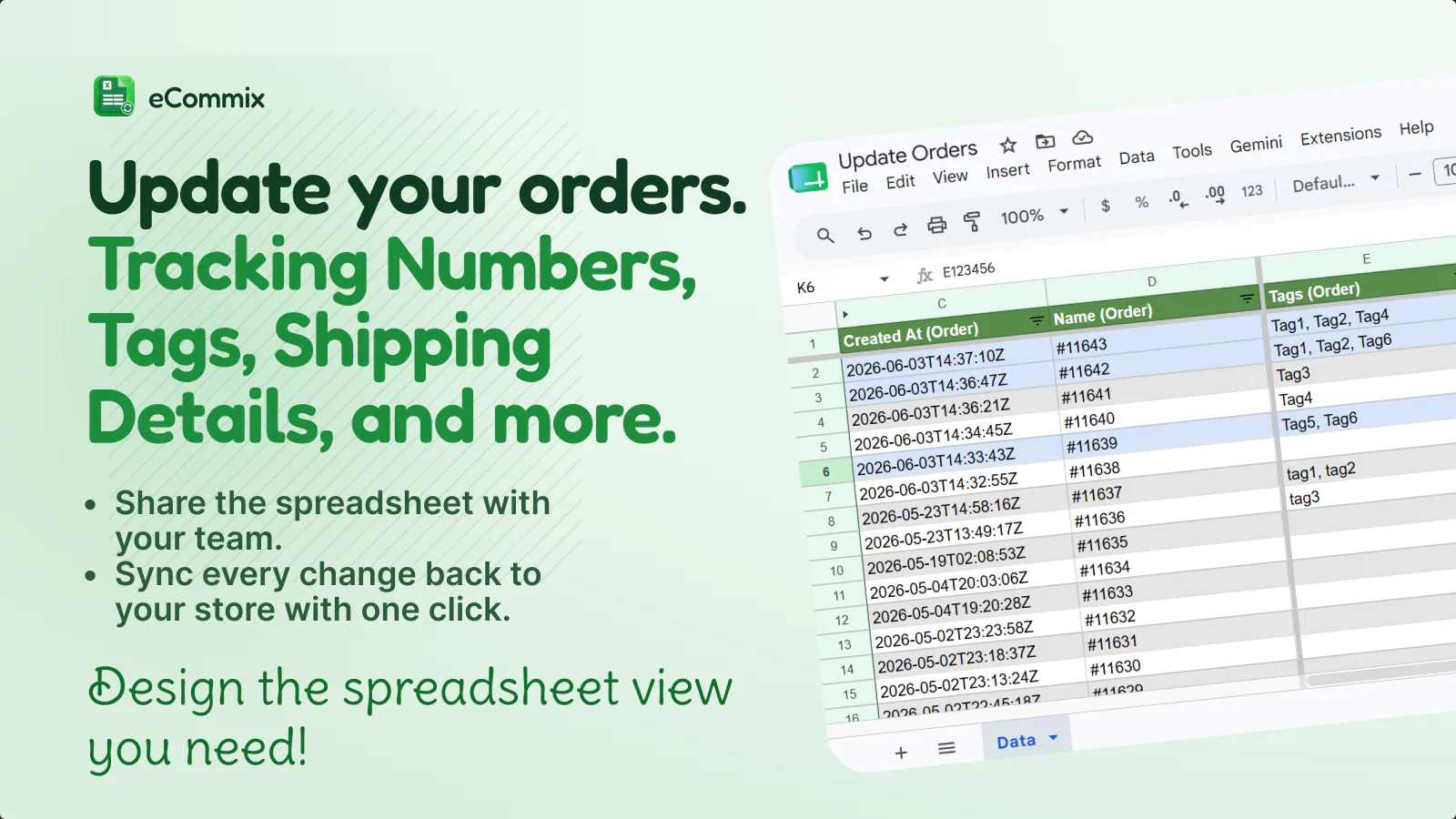
Spreadsheet tools and sharing
Everything you already know how to do in Google Sheets works with live Shopify data.
VLOOKUP, SUMIF, ARRAYFORMULA, pivot tables, charts, conditional formatting
Styles, frozen panes, renamed headers, and custom views survive every sync
Sort and filter Shopify data the same way you filter any Google Sheet
Freeze headers and key columns so large sheets stay easy to navigate
Share live Shopify data - collaborators don't need their own eCommix login
Schedule recurring exports so dashboards and shared reports stay fresh automatically
Dashboards that refresh themselves
Schedule a recurring export so your reports update automatically - no manual CSV, no 'can you send me the latest data?'. Pivot tables, charts, and summaries stay live for anyone with Sheet access.
Set up your first automated report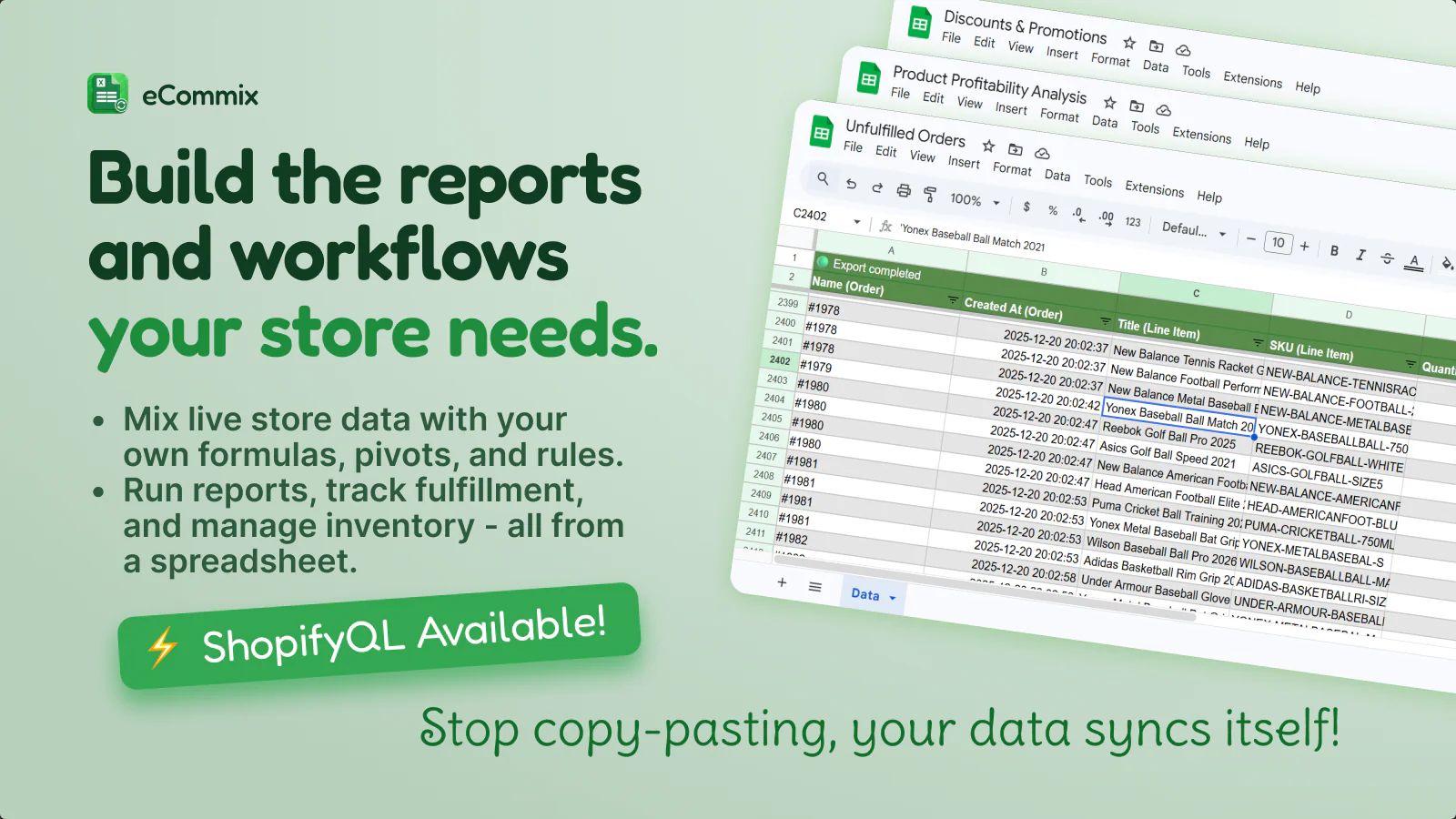
Frequently asked questions
Does my team need an eCommix account to view the spreadsheet?
No. Once a Sheet is shared through Google Drive, anyone with the link can view or edit it using their existing Google account. Only the person setting up the syncs needs an eCommix account.
Can I edit products, orders, and inventory all from the same sheet?
Each export is set up as its own job with its own destination sheet. You can have as many jobs as you need - one for products, one for orders, one for inventory - each on a separate tab or spreadsheet.
Will my formulas and formatting survive a sync?
Yes. eCommix refreshes the underlying Shopify data while preserving your styles, frozen panes, formula columns, renamed headers, and custom views.
Is there a limit on how many products or orders I can export?
There's no hard row limit - it depends on your plan. Large catalogs can be paginated or filtered by collection, date range, or other criteria when setting up the export.
Can I create new products from a spreadsheet, or only edit existing ones?
Both. You can add new rows to a Sheet and import them back to Shopify as new products, variants, product images, or customers.
Explore specific use cases:
Connect your store in under 2 minutes
Free plan available. Works with any Shopify store.
Install eCommix free