Export Shopify to Google Sheets
Send your Shopify orders, products, inventory, and customers straight into a spreadsheet - automatically, on the schedule you choose. No CSV downloads, no manual re-exports.
Free plan available
How do you export Shopify data to Google Sheets?
Install eCommix from the Shopify App Store, pick an export template such as Orders, Products, or Inventory, choose One-Way: Export as the sync direction, and set a schedule. eCommix writes the data into a connected Google Sheet on every run, so the spreadsheet refreshes itself.
Unlike Shopify's built-in CSV export - a one-time manual download covering a limited set of fields - a scheduled export keeps a live sheet in sync and reaches datasets the CSV exporter does not expose, including inventory by location, metafields, and region catalog pricing.
Everything you can export
Over 25 templates covering the Shopify datasets that matter - including several the built-in CSV export cannot reach.
Line items, totals, taxes, discounts, fulfillment status, and customer details
Titles, SKUs, prices, options, images, vendors, types, and tags
Stock levels per variant per location, with incoming and committed quantities
Contact details, order counts, lifetime spend, tags, and marketing consent
Any custom product, variant, order, or customer metafield you have defined
Collection membership plus per-region catalog pricing and publication
Pick the Shopify data you want to export
Open eCommix and choose from over 25 ready-made templates - Orders, Products, Inventory, Customers, and more. Each template maps to a specific Shopify dataset with sensible columns already selected, so there is nothing to configure before your first export.
Export Shopify to Google Sheets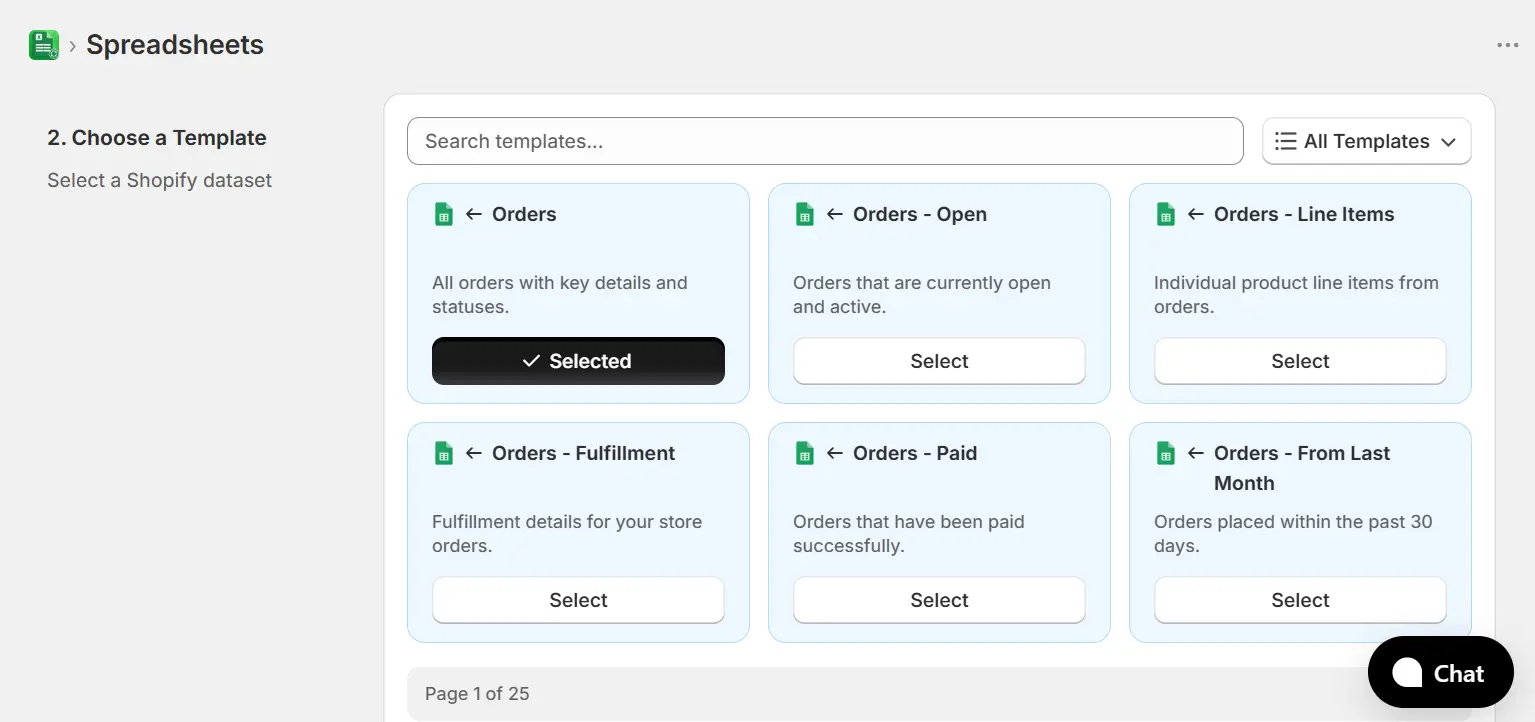
Set the direction to One-Way: Export
Choose One-Way: Export so data flows from Shopify into Google Sheets only. Your spreadsheet becomes a read-only mirror of your store - safe to share with accountants, agencies, or anyone who needs the numbers but should never write back to Shopify.
Export Shopify to Google Sheets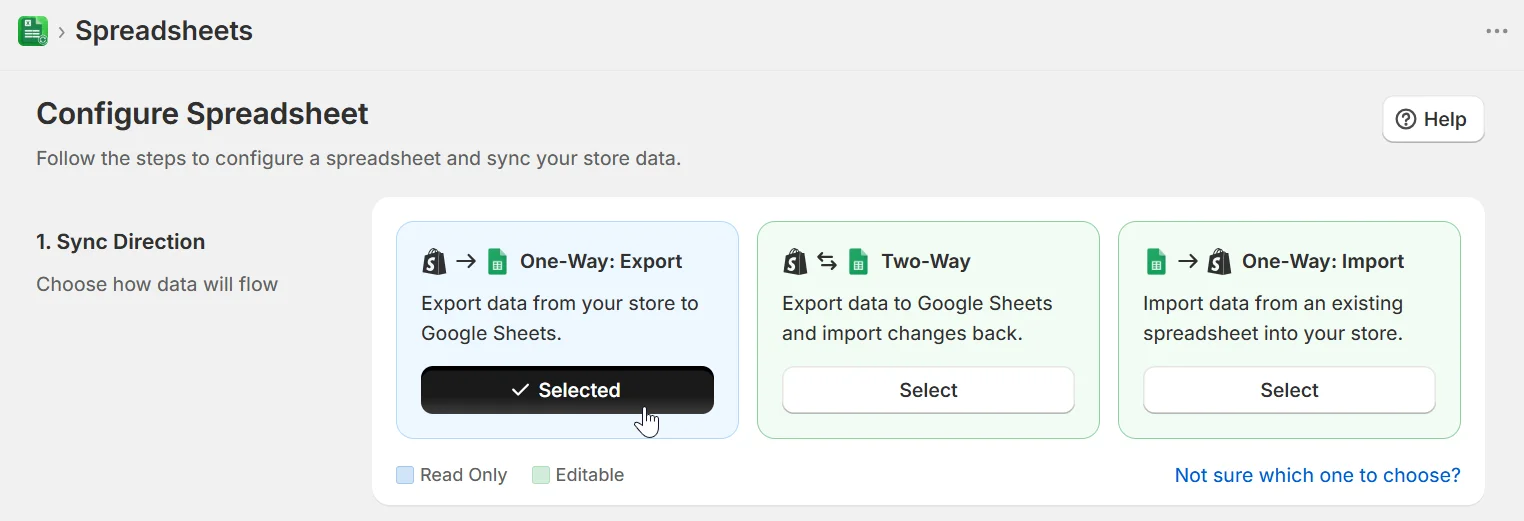
Filter and shape the columns before exporting
Scope the export to exactly the rows you need - filter by date range, status, vendor, collection, tag, or any other field. Then reorder, rename, or drop columns in Manage Columns so the sheet arrives in the shape your report already expects.
Export Shopify to Google Sheets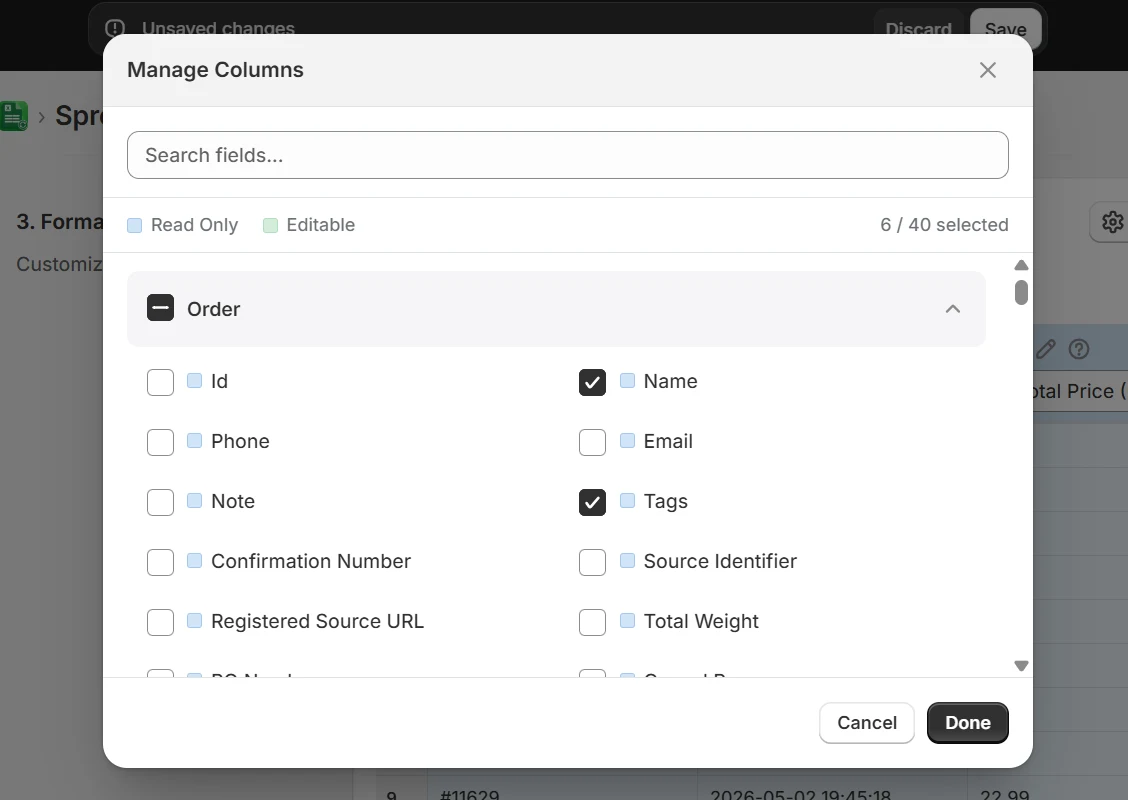
Schedule it and let the sheet refresh itself
Set the export to run hourly, daily, weekly, or on a custom schedule. eCommix rewrites the sheet each run, so every pivot table, chart, and formula built on top of it stays current without anyone re-downloading a CSV.
Export Shopify to Google Sheets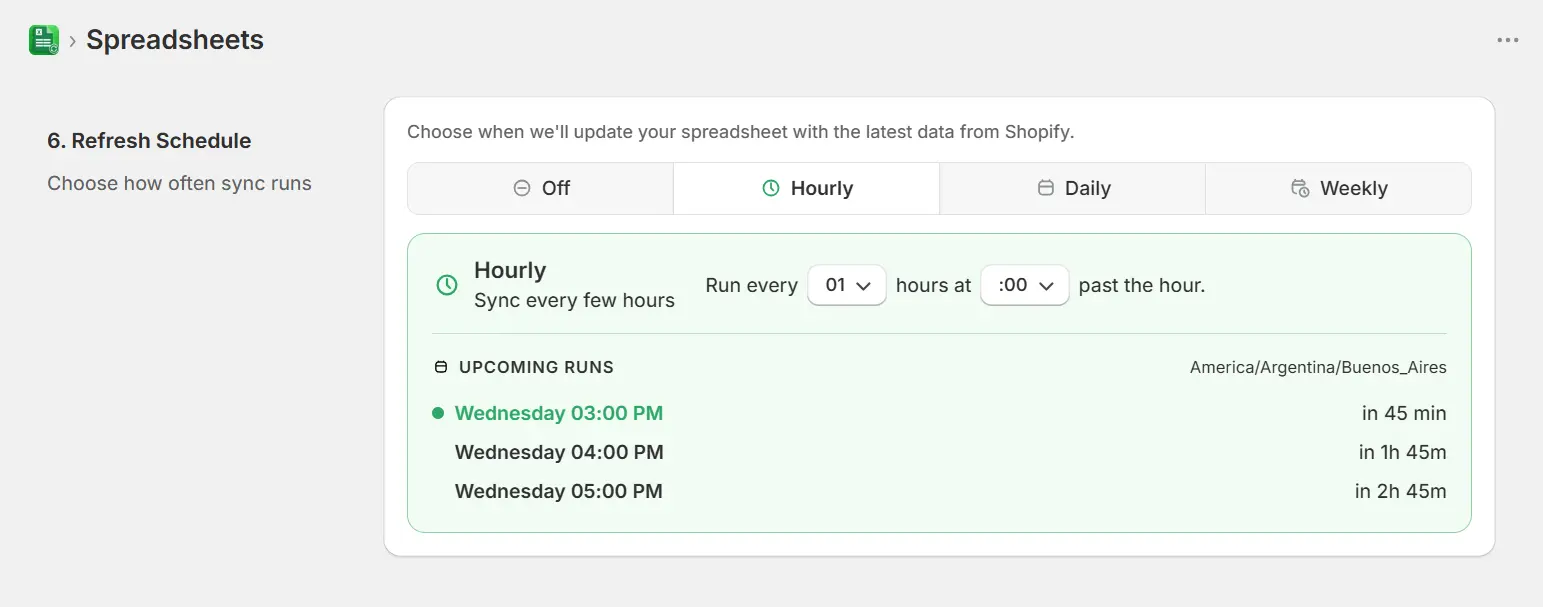
What people use Shopify exports for
Any time the answer lives in your store data but the question is easier to ask in a spreadsheet.
Automated sales reporting
Export orders on a daily schedule and build your revenue dashboard on top of the sheet. The pivot tables refresh themselves every morning, so the weekly report is already written when you open it.
Share data without Shopify access
Accountants, agencies, and investors often need store numbers but should not have an admin login. A scheduled export gives them a live spreadsheet instead of a standing seat in your Shopify admin.
Inventory monitoring
Export stock levels per location on an hourly schedule and add conditional formatting or a low-stock formula. The sheet flags what needs reordering before the storefront runs out.
Custom analysis Shopify reports cannot do
Once the raw rows are in Sheets you can join them against ad spend, supplier costs, or shipping data, and answer questions the built-in Shopify reports were never designed to handle.
Historical snapshots
Shopify reporting windows move with you. Scheduled exports into a dated sheet build an archive you control, so year-over-year comparisons stay possible long after the admin view has rolled forward.
Feeding other tools
Google Sheets is the universal connector. Export Shopify data once and let Looker Studio, Apps Script, or any tool that reads Sheets pick it up from there.
Frequently asked questions
How do I automatically export Shopify data to Google Sheets?
Install eCommix from the Shopify App Store, choose an export template such as Orders or Products, select One-Way: Export as the direction, and set a schedule. eCommix writes your Shopify data into the connected Google Sheet on every run, so the spreadsheet stays current without any manual work.
Can I export Shopify orders to Google Sheets on a schedule?
Yes. The Orders template exports line items, totals, taxes, discounts, fulfillment status, and customer details. Set it to run hourly, daily, or weekly and the sheet refreshes on its own - no CSV download and no re-import.
Is this different from Shopify's built-in CSV export?
Yes, in two ways. Shopify's CSV export is a one-time manual download that you then have to open and import yourself, and it covers a limited set of fields. eCommix writes directly into a live Google Sheet on a schedule, and covers datasets Shopify's exporter does not expose - including inventory by location, metafields, and region catalog pricing.
Will the export overwrite my formulas and pivot tables?
No. eCommix writes into the data columns it manages. Formulas, charts, and pivot tables you build in other columns or on other tabs keep working and simply pick up the refreshed values on each run.
How much Shopify data can I export?
Whole catalogs and full order histories. Exports are paginated and written in batches, so stores with tens of thousands of products or orders are handled without hitting spreadsheet or API limits.
Can I export only certain orders or products?
Yes. Filter the export by date range, order or product status, vendor, collection, tag, or any other available field. Only matching rows land in the sheet, which keeps the spreadsheet small and your formulas fast.
Does eCommix export data from platforms other than Shopify?
No. eCommix is built specifically for Shopify and connects only to Shopify stores.
Also useful for your store:
Stop downloading CSVs every week
Free plan available. No credit card. Works with any Shopify store.
Export Shopify to Google Sheets