Never run out of stock again with a Shopify inventory planner in Google Sheets
Sync your Shopify inventory to Google Sheets, set reorder points with formulas, and get automatic low-stock alerts - before it's too late.
Avoid stockouts and overstock now
See it in action
The real cost of bad inventory visibility
Stockouts kill revenue
When a product goes out of stock, you lose the sale - and often the customer. Manual stock checks are too slow to catch problems before they happen.
Overstock ties up cash
Ordering too much is just as costly. Without visibility into sell-through rates, you end up with slow-moving inventory that eats your margin.
Spreadsheets go stale
Manually exported CSVs are outdated the moment you download them. By the time you act, the numbers have already changed.
Reorder alerts calculated automatically
The Forecast Planner sheet shows every SKU with its available stock, incoming units, average daily sales, reorder point, suggested order quantity, and days of stock left - all calculated from your live Shopify data. Status cells turn red the moment you need to act.
Know exactly what to reorder and when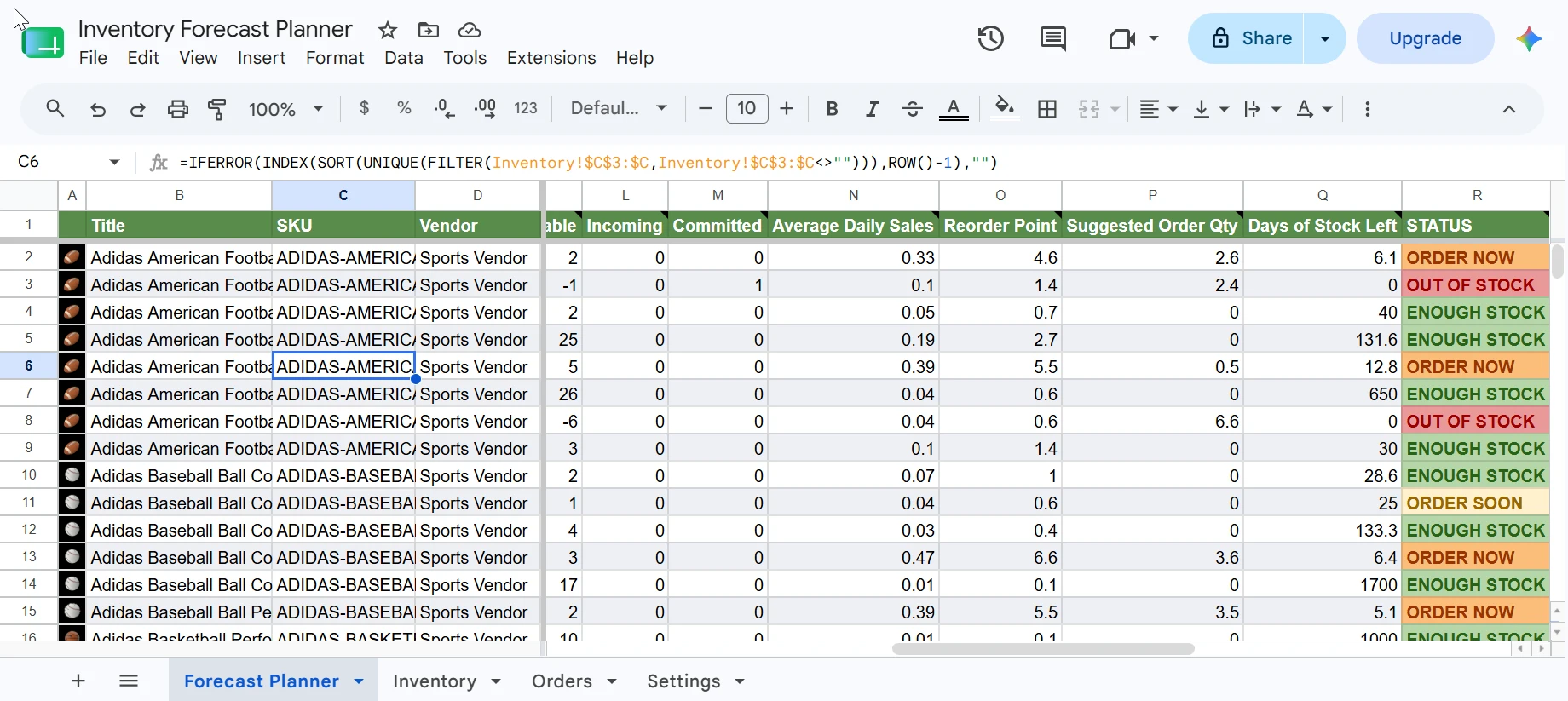
Live inventory data pulled straight from Shopify
The Inventory sheet syncs on-hand quantities, available stock, incoming, and committed units per SKU directly from Shopify. eCommix keeps it current so every formula in the planner always runs on accurate numbers.
Know exactly what to reorder and when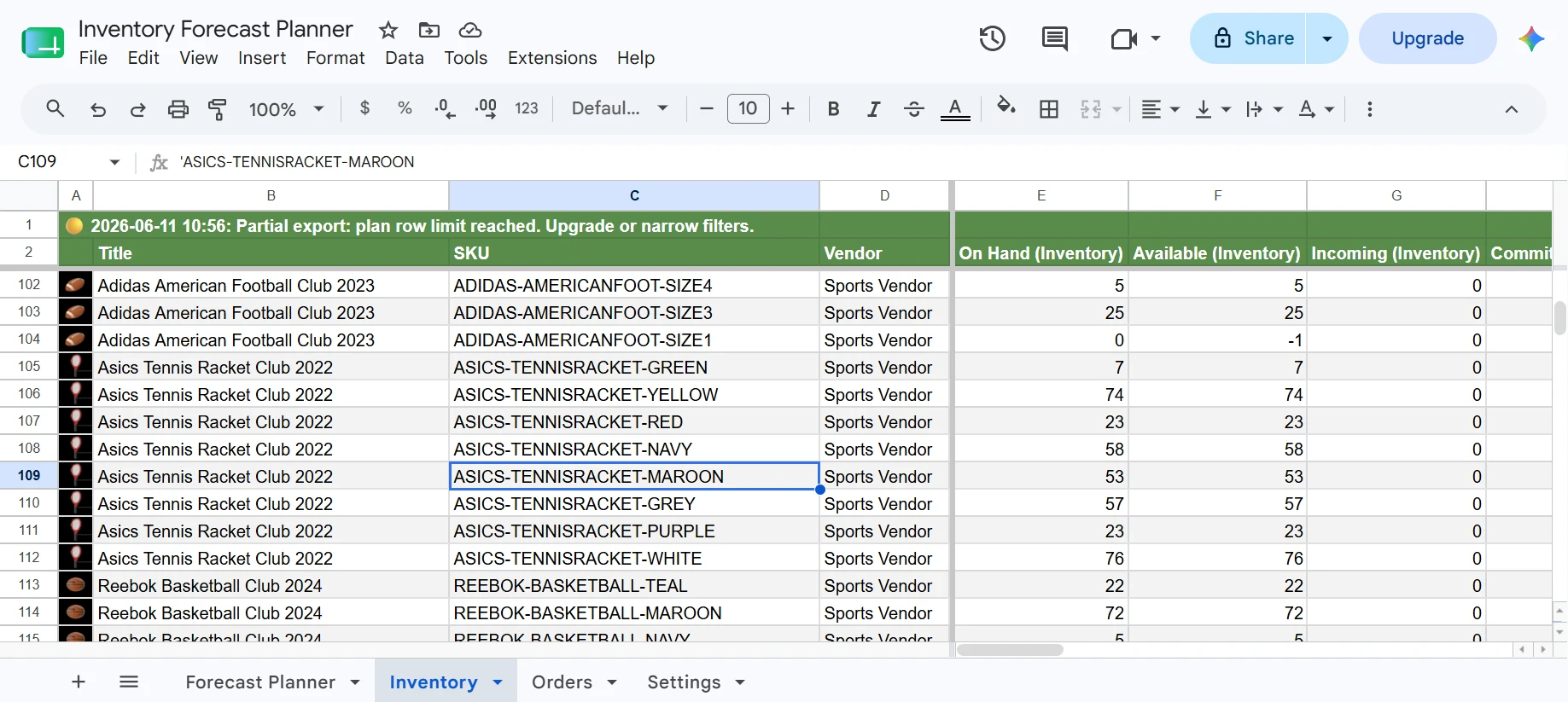
90 days of orders power your sales forecast
The Orders sheet pulls the last 90 days of Shopify order line items - date, SKU, title, variant, and quantity. The planner uses these to calculate 14, 30, 60, and 90-day rolling sales windows and project your monthly forecast.
Know exactly what to reorder and when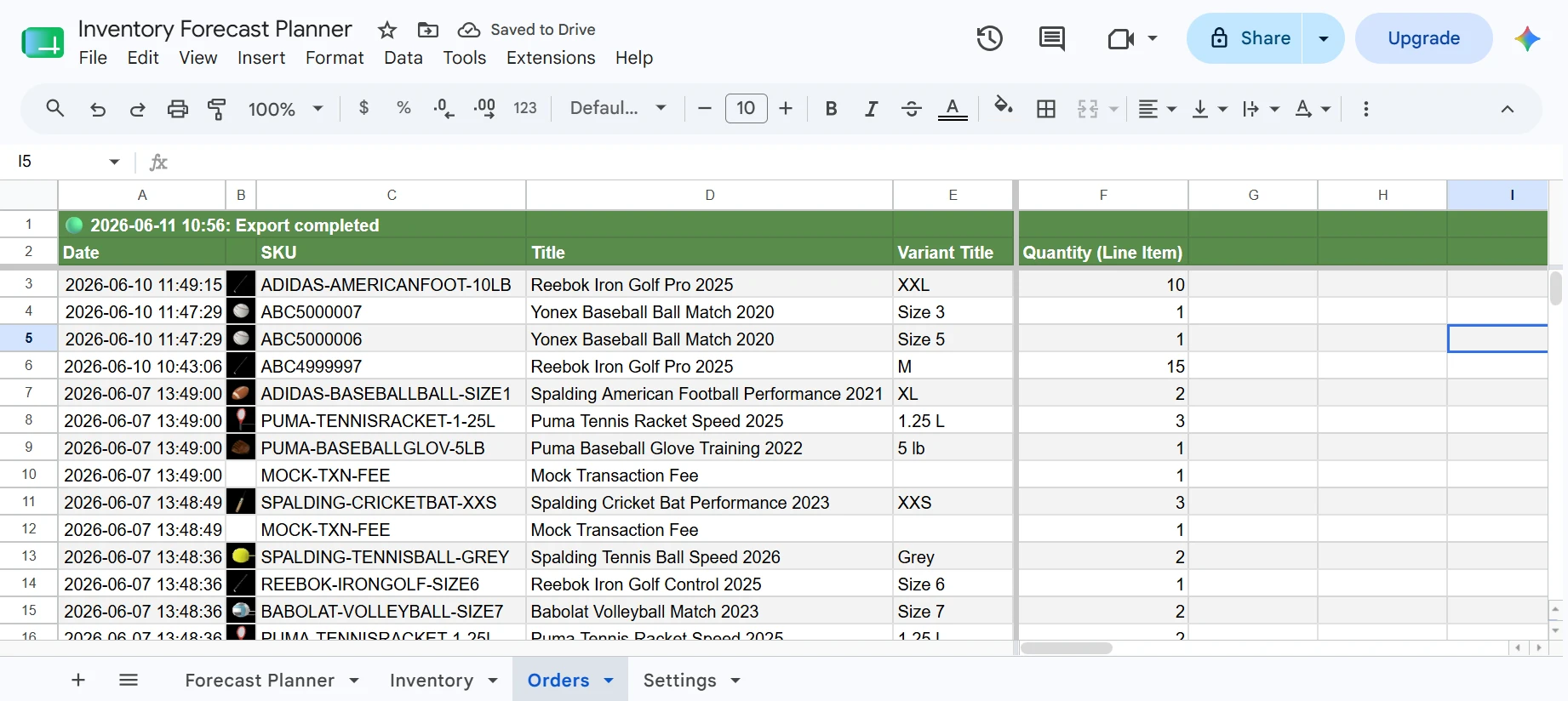
Set lead time and safety stock per product
The Settings sheet lets you define a lead time and safety stock for each SKU. The planner uses these to calculate reorder points that reflect your actual supplier relationships - not a one-size-fits-all default.
Know exactly what to reorder and when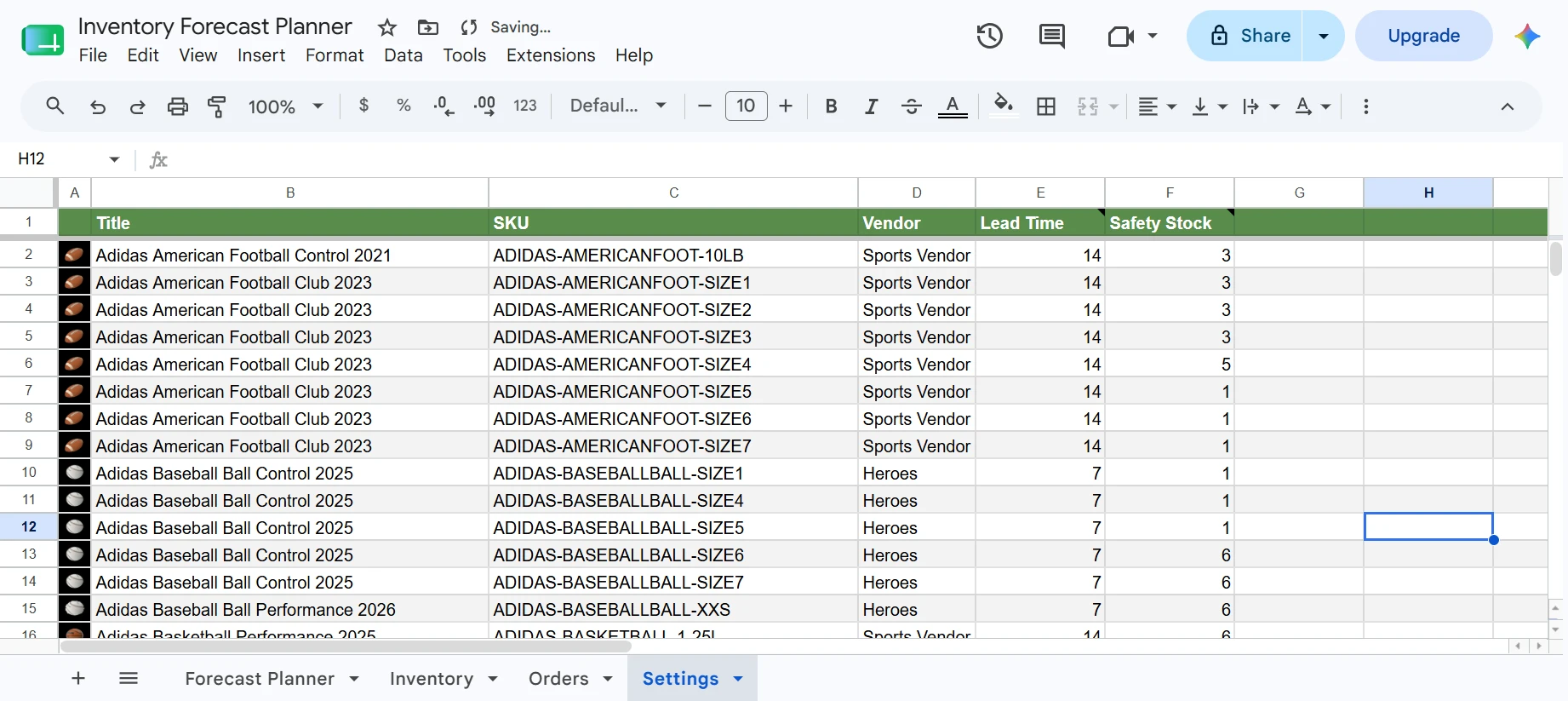
Always current - refreshes every hour automatically
Set a refresh schedule and eCommix will re-sync your Shopify inventory and orders data on its own. Hourly, daily, or weekly - your planner stays up to date without you having to trigger anything manually.
Know exactly what to reorder and when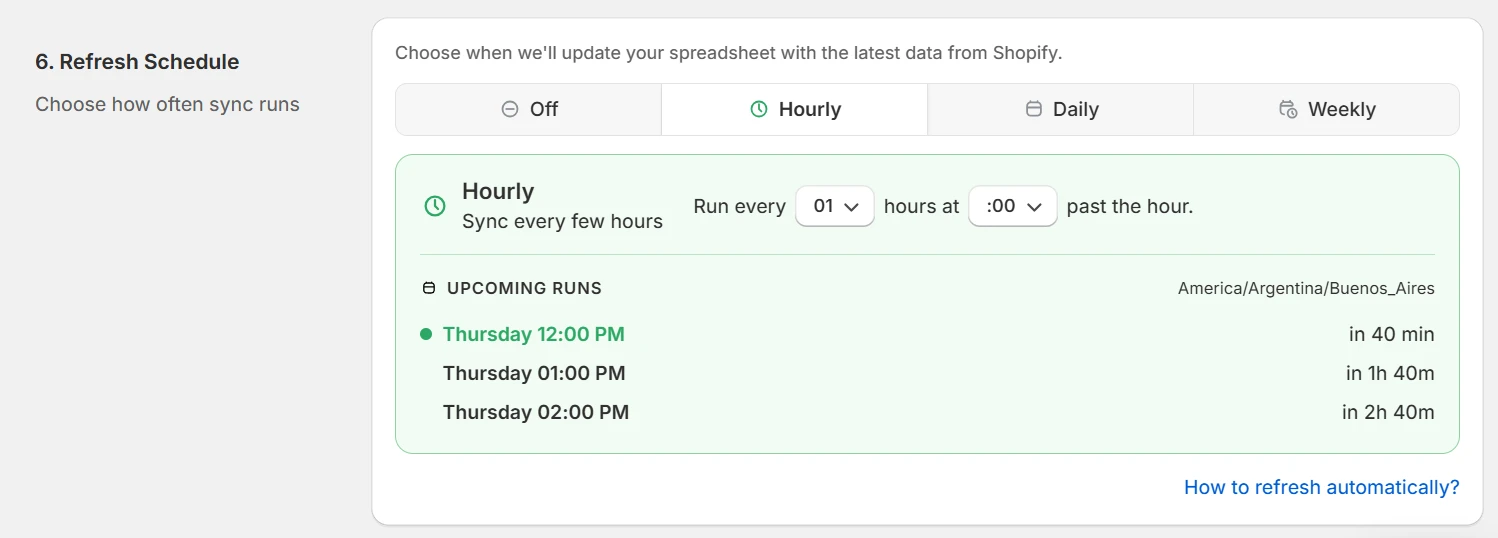
What each column means
Every column comes with a note explaining what it shows and how it's calculated.
Forecast Planner sheet
Settings sheet
Frequently asked questions
Can I track inventory across multiple locations?
Yes. eCommix exports inventory quantities per location so you can build multi-warehouse tracking sheets with standard Sheets formulas.
Does it update inventory back to Shopify?
Two-way sync is supported. Edit quantities in your sheet and import them back to Shopify with a single click.
How often does it refresh?
You can schedule hourly, daily, or weekly syncs. You can also trigger a manual refresh at any time from inside eCommix.
Also useful for your store:
Know exactly what to reorder and when
Free plan available. Works with any Shopify store.
Use this Spreadsheet