Shopify analytics in Google Sheets - ShopifyQL, orders, and custom reports
Pull live Shopify data into Google Sheets with ShopifyQL queries, 30+ analytics templates, 100+ order fields, and auto-refresh on a schedule. Build the reports Shopify's admin can't.
Free plan available · Works with any Shopify store
Create the reports Shopify makes hard to build
Choose a template, write ShopifyQL, or export raw order fields. Everything lands in Google Sheets where your team can filter, chart, and refresh it on a schedule.
Start from pre-built sales, customer, discount, checkout, and product reports instead of writing queries from scratch.
Write the exact query you need and send the results straight into Google Sheets for analysis and sharing.
Create flat, row-level reports with order, customer, fulfillment, refund, discount, and line-item columns.
Refresh the same sheet hourly, daily, or weekly so formulas, pivot tables, and charts stay current automatically.
30+ ready-to-use analytics templates
Choose from Sales Overview, Sales by Product, Sales by Channel, Best Days of the Week, Top Customers by LTV, Checkout Revenue Loss, Discount & Promo Analysis, and more. Each template is a pre-built ShopifyQL query that lands clean data in your sheet in seconds - no query writing required.
Try it free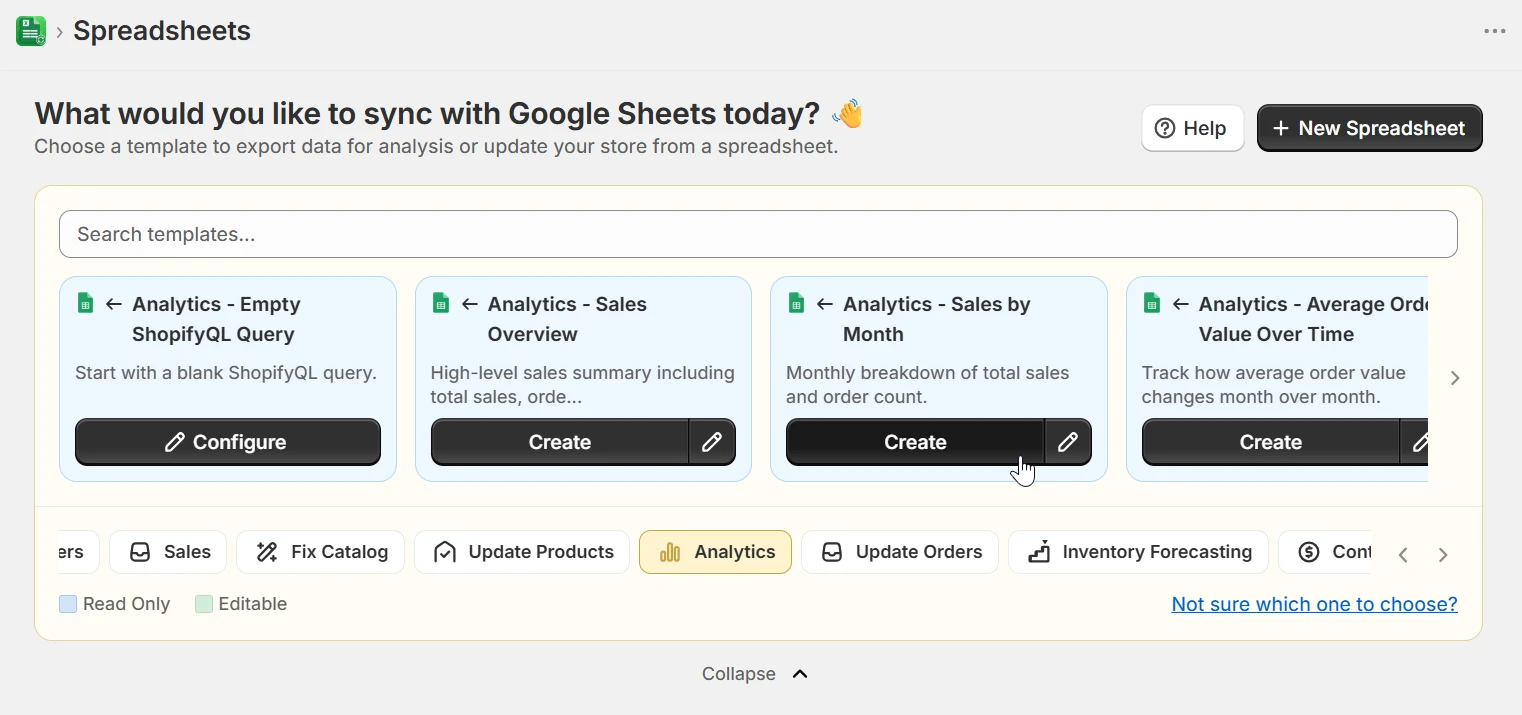
Write any ShopifyQL query directly in eCommix
Need something the templates don't cover? Write raw ShopifyQL - FROM sales SHOW total_sales GROUP BY month, or a fully custom checkout funnel query. eCommix sends the query to Shopify and writes the results into your spreadsheet with formatted headers, banded rows, and auto-filters applied.
Try it free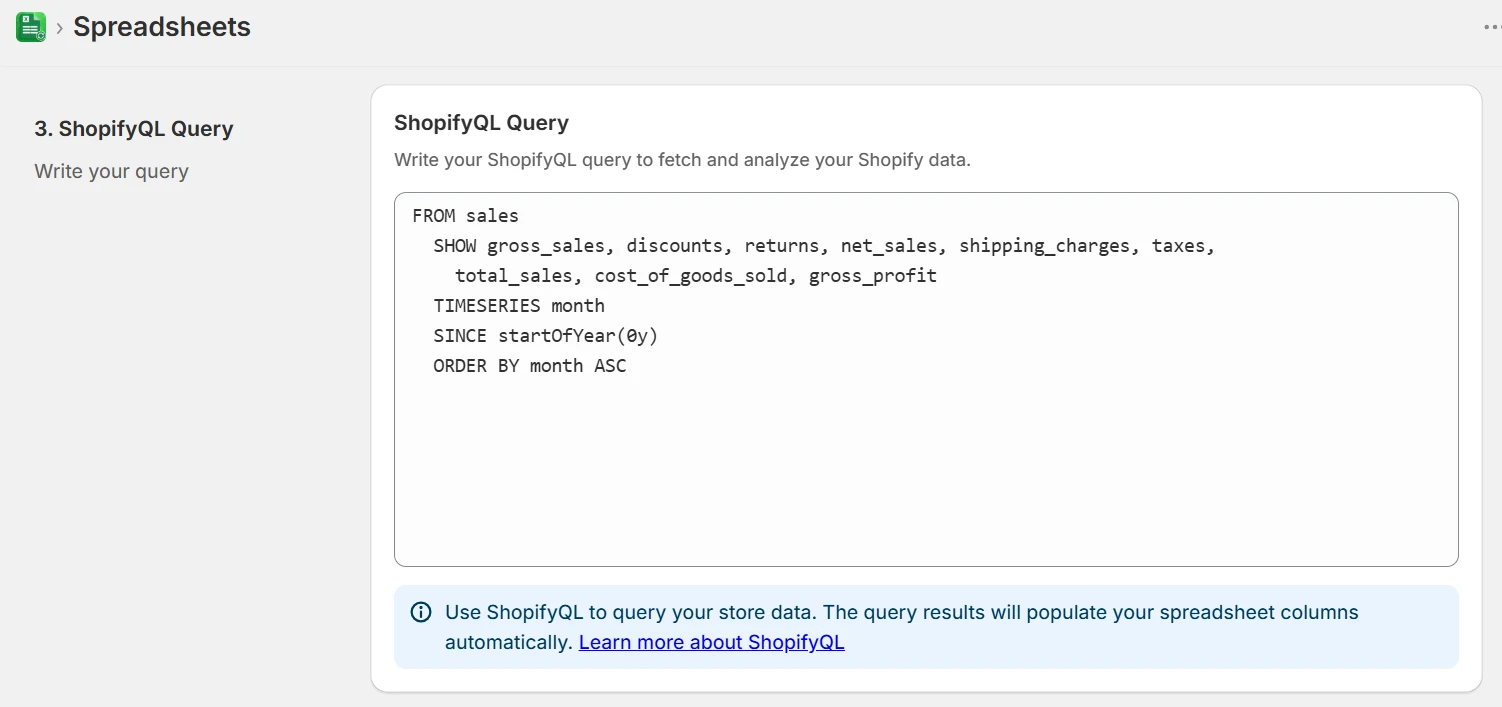
See the exact results before you commit
Before the full export runs, eCommix previews the first rows of your ShopifyQL results inline. Verify the columns and data look right, adjust the query, and then export - no wasted syncs, no surprise empty sheets.
Try it free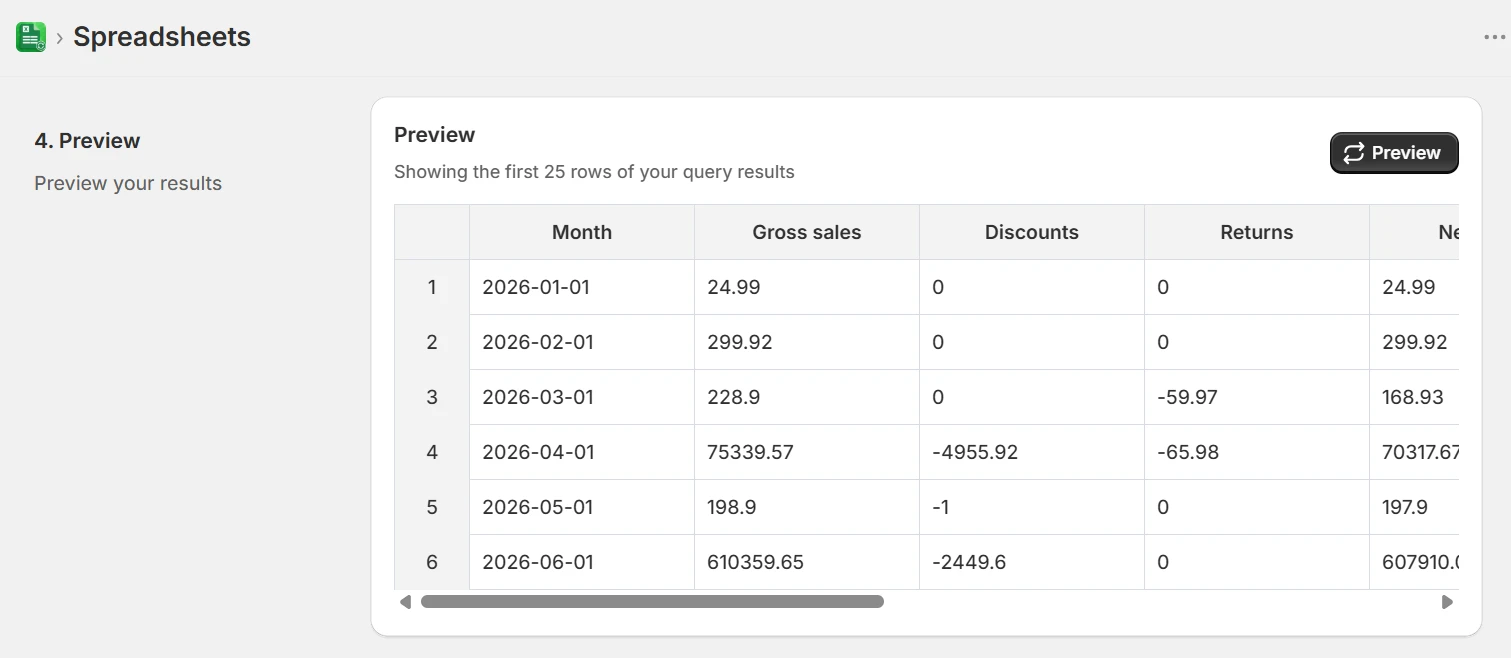
100+ order fields - pick exactly what you need
For order-based exports, choose from over a hundred fields: order name, created date, customer email, channel, total price, financial status, fulfillment status, line items, SKUs, tags, shipping address, discount codes, refunds, and more. Build a flat table tailored to your exact reporting need.
Try it free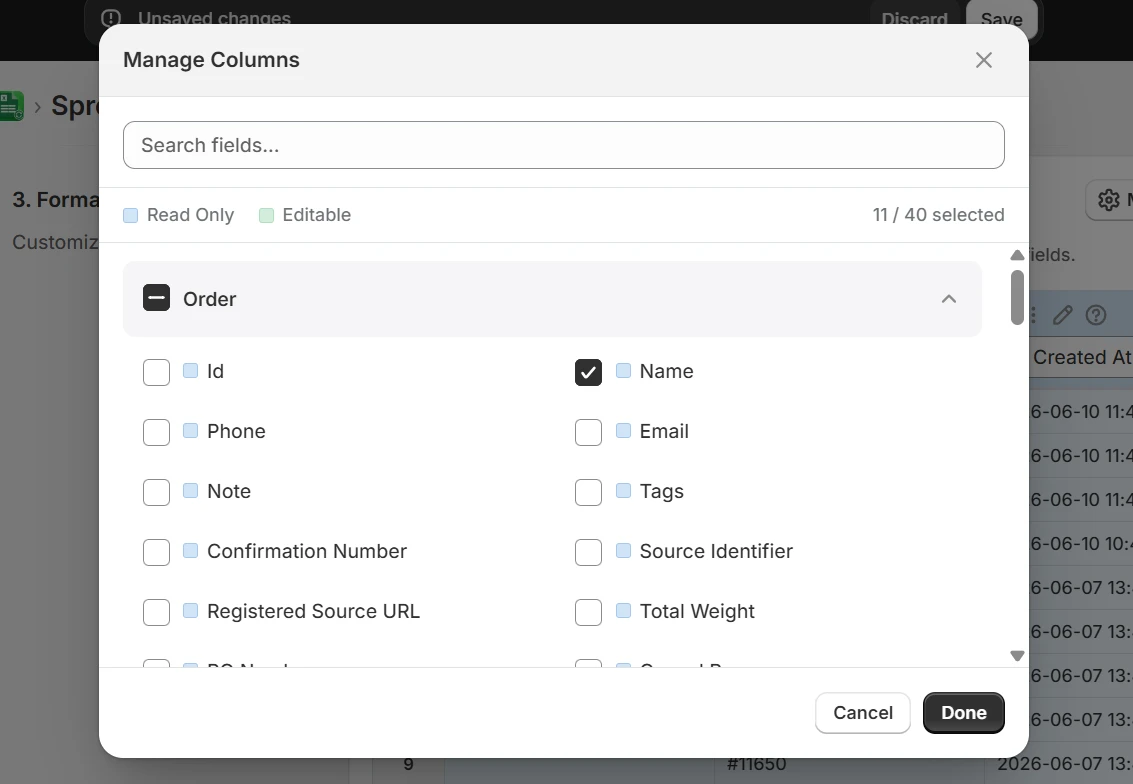
Auto-refresh on a schedule
Set your export to refresh hourly, daily, or weekly and your sheet stays current without you touching it. Charts, pivot tables, and formulas all recalculate against the new data automatically. Come in every morning to an up-to-date view of yesterday's numbers.
Try it free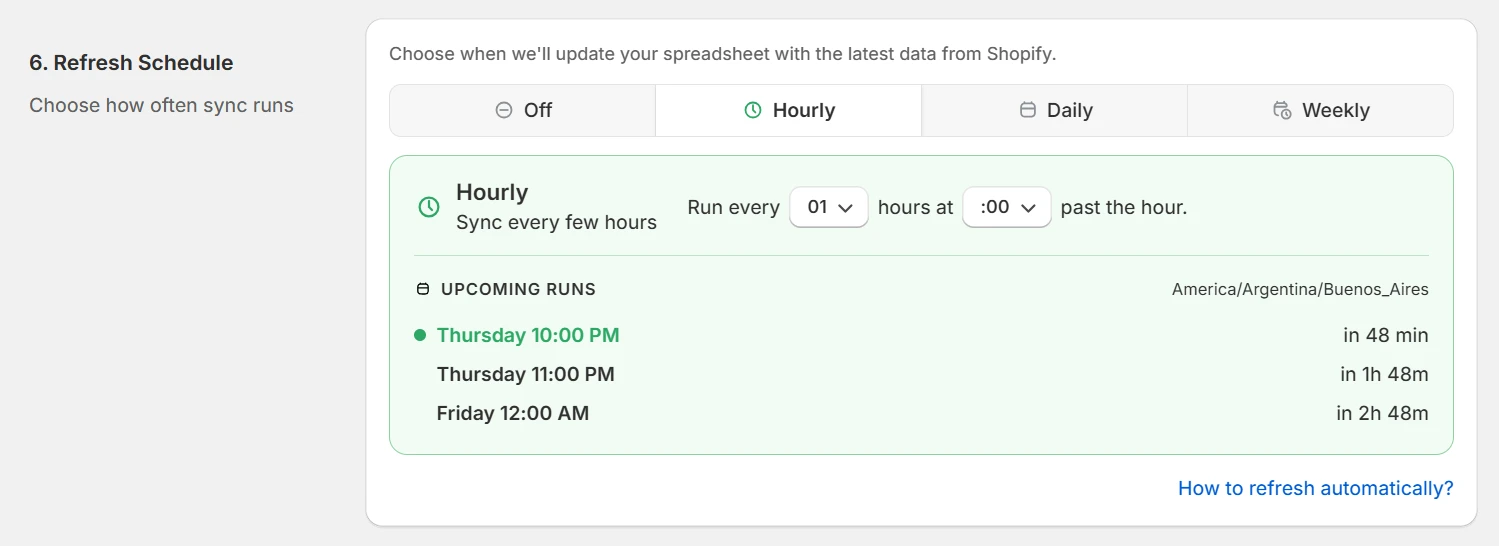
Formatted, readable spreadsheets out of the box
Every export applies banded rows, auto-filters, frozen headers, and a status banner showing when the data last synced. The result looks like a proper report, not a raw data dump - ready to share with your team or build pivot tables on top of without any cleanup.
Try it free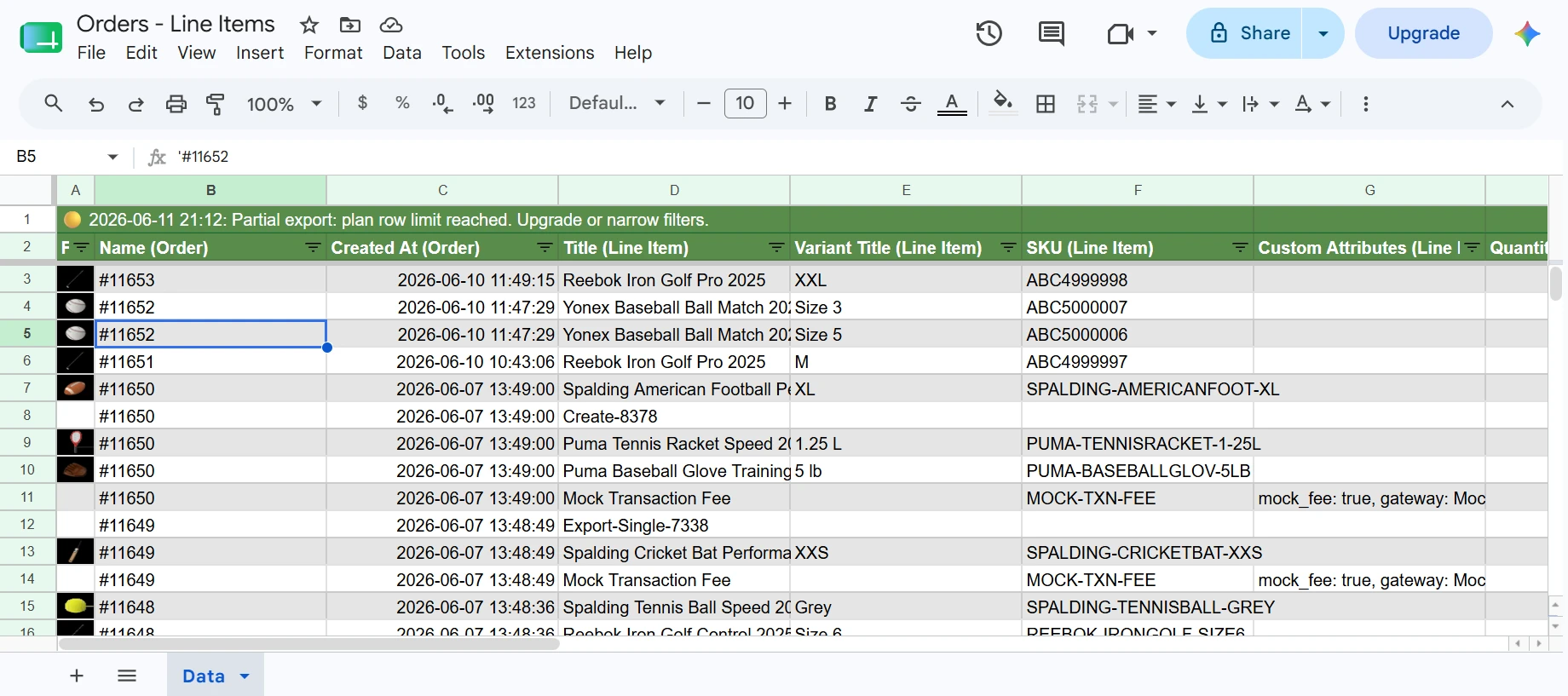
What merchants build with it
Monthly revenue reporting
Run Sales by Month ShopifyQL query, schedule a daily refresh, and send the sheet link to your team - no CSV exports, no manual updates.
Repeat customer analysis
Pull Top Customers by LTV to identify your highest-value buyers, then filter for customers with two or more orders to build a retention report.
Checkout funnel audit
Use the Checkout Revenue Loss template to see how much revenue is abandoned at each checkout stage and where to focus CRO effort.
Discount & promo performance
Run Discounts and Promotions Analysis to see which codes drive the most revenue vs. margin erosion - without leaving Google Sheets.
Order operations sheet
Export orders with fulfillment status, shipping address, and SKU-level line items on a daily schedule so your ops team always has fresh data.
Custom BI without a BI tool
Combine Shopify order data with your own cost sheets using VLOOKUP or XLOOKUP to calculate true margin per order - no Looker or Tableau needed.
Frequently asked questions
What is ShopifyQL and can I use it in eCommix?
ShopifyQL is Shopify's query language for analytics data - think SQL for your store's sales, sessions, and customer data. In eCommix you can write any ShopifyQL query directly, or pick from 30+ pre-built templates. The query runs against your store and the results land clean in Google Sheets.
What order fields can I export?
Over 100 fields across orders, line items, customers, fulfillments, refunds, and transactions. That includes order name, created date, financial and fulfillment status, customer email, channel, shipping address, discount codes, tags, SKUs, quantities, prices, and more.
How is this different from Shopify's built-in analytics?
Shopify's reports are fixed - you get predefined charts with limited filtering. In Google Sheets you can combine any fields, apply custom formulas, join datasets, build pivot tables, and create charts that Shopify's admin simply doesn't support. You also get raw row-level data, not just aggregated totals.
Can the sheet update itself automatically?
Yes. Set a schedule - hourly, daily, or weekly - and eCommix refreshes the underlying data on its own. Your charts, formulas, and pivot tables all update in place against the new data. No manual CSV export, no copy-paste.
Can I preview ShopifyQL results before running the full export?
Yes. eCommix shows a preview of the first rows returned by your query before committing. You can verify the columns are correct and adjust the query if needed, then run the full export when ready.
Do I need to know SQL or ShopifyQL to use the analytics templates?
No. Every analytics template is pre-built - just pick one and export. If you want to customize further, the query is editable, but starting from a template means you never have to write ShopifyQL from scratch.
See the numbers Shopify doesn't show you
ShopifyQL queries, 30+ templates, 100+ order fields, auto-refresh - free to start.
Create reports free