Find and fix missing Shopify product data using Google Sheets
Export your full Shopify catalog to Google Sheets, spot every blank SEO field, price, image, and SKU with pre-built filter views - then sync fixes back to your store in one click.
Free plan available
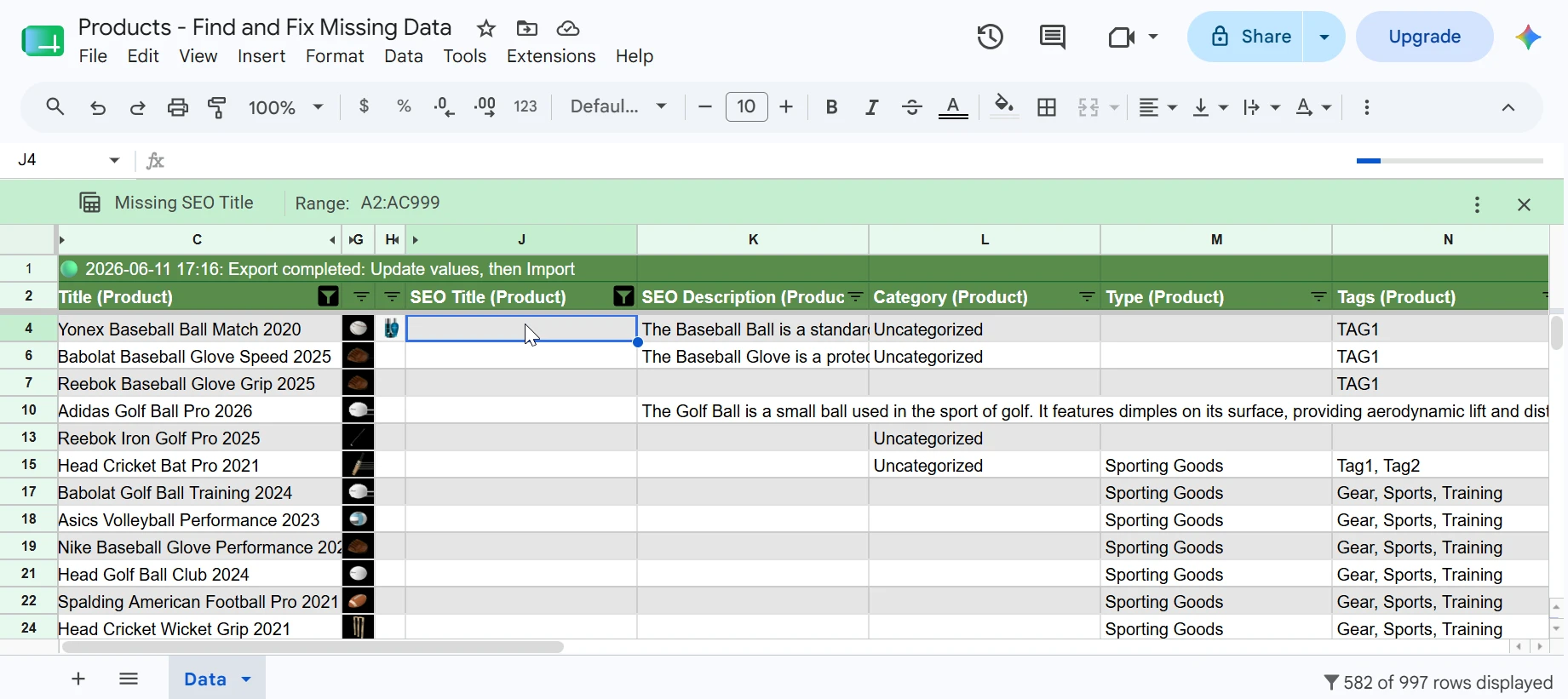
Every gap, visible at once
Stop guessing which products are incomplete. Export all the fields that matter and filter for blanks in seconds.
Missing on products that never ranked - Google uses this as the page title
Blank meta descriptions hurt CTR even when you rank
Empty body text means no content for Google to index
No image = no visual in search results and lower conversions
Missing tags break collection filters and internal search
Blank fields make catalog reports unreliable
Missing compare-at prices mean no strikethrough in your storefront
Blank SKUs break inventory tracking and fulfillment workflows
One template, every field that matters
Select the "Products - Find and Fix Missing Data" template in eCommix and hit Create. Your entire catalog exports to Google Sheets in minutes - title, SEO fields, description, images, price, SKU, barcode, tags, category, and more. Every product on one screen, ready to audit.
Fix it before Google does it for you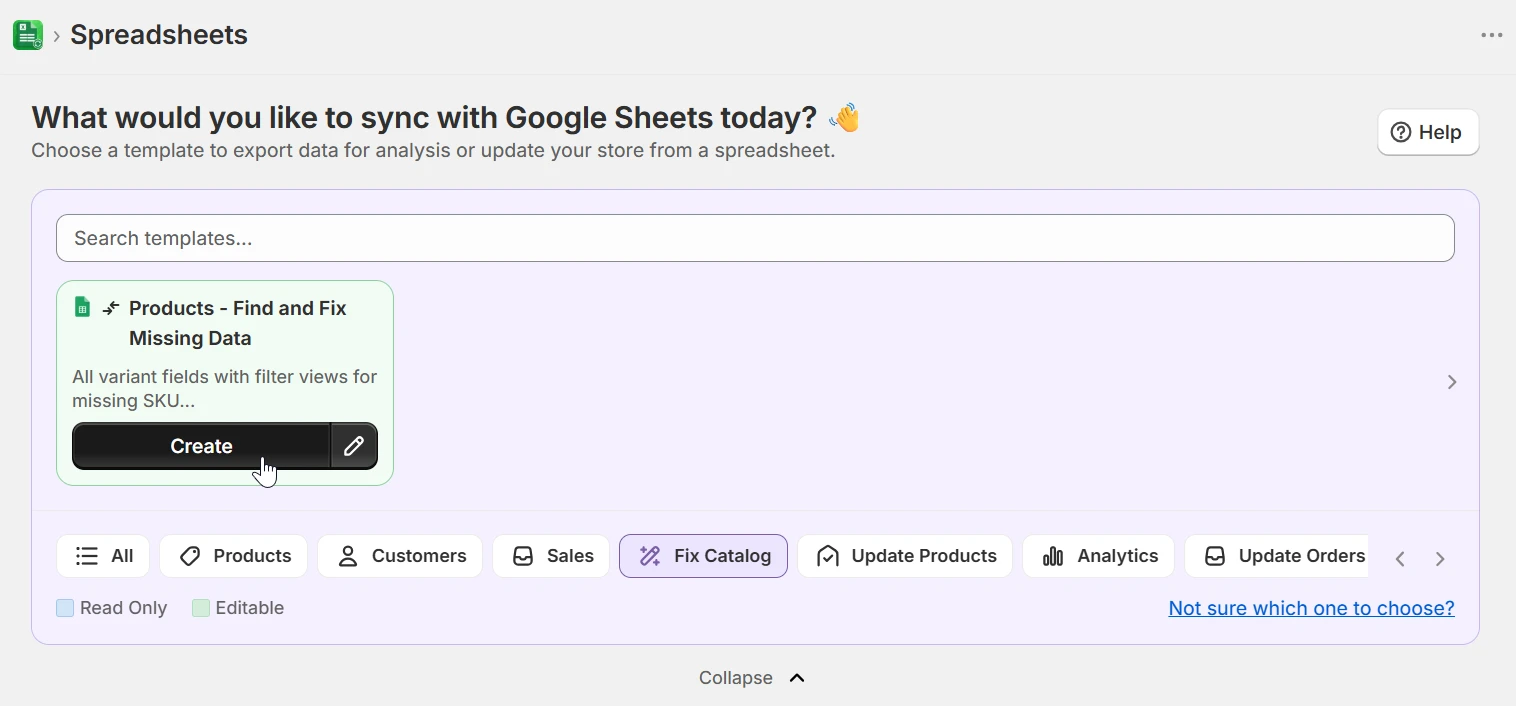
Pre-built filter views for every gap
The sheet arrives with named filter views already set up: Missing SEO Title, Missing Price, Missing Body HTML, Missing Barcode, Missing Image, and more. Switch between them from the Data menu - no formula writing, no manual filtering. Exactly the products with a gap surface immediately.
Fix it before Google does it for you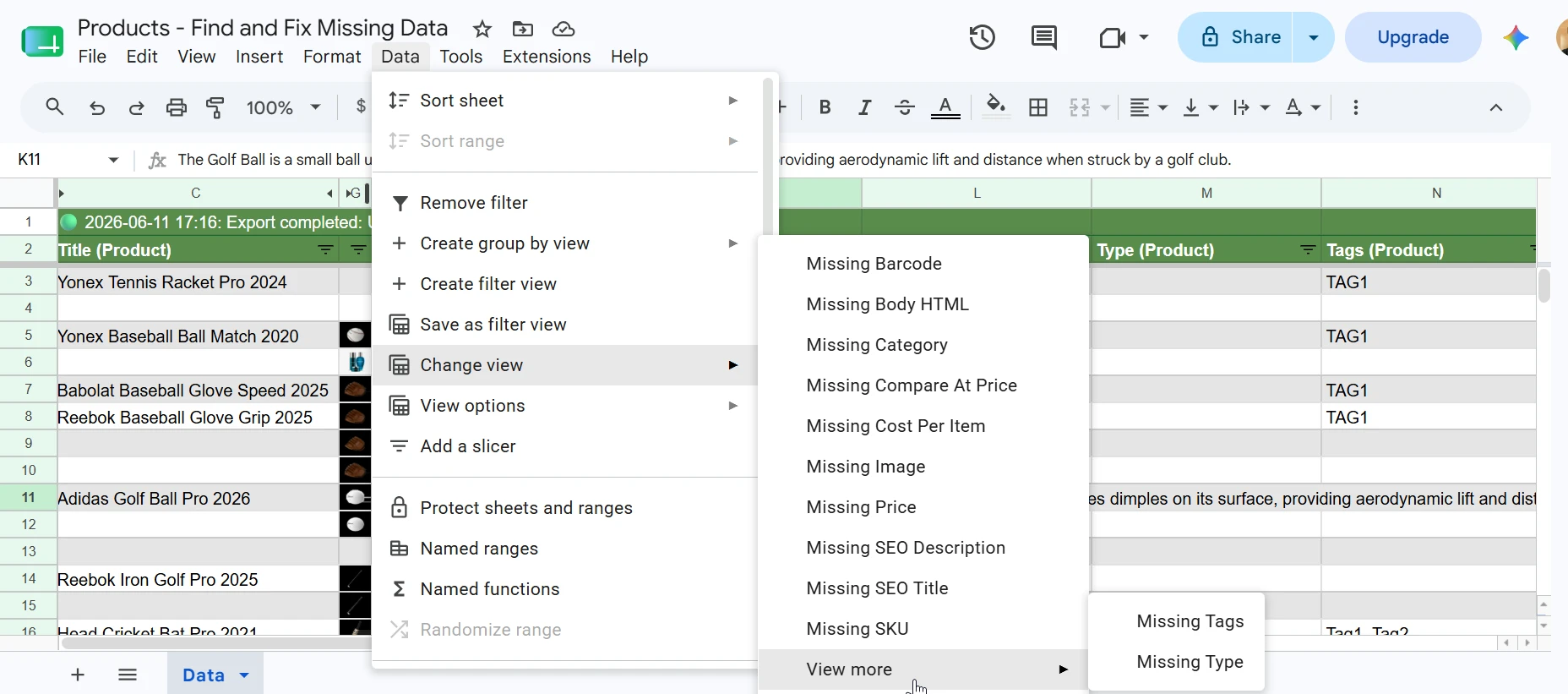
See the scale of the problem instantly
Switch to "Missing SEO Title" and Google Sheets shows you 582 of 997 rows. Switch to "Missing Compare At Price" and it's 19 of 997. The row count in the bottom-right tells you exactly how many products need work without any manual counting. Focus your effort where it matters most.
Fix it before Google does it for youFill gaps in bulk, then sync back
With gaps visible, type or paste fixes directly in the sheet. Use Sheets formulas to draft SEO titles at scale, bulk-fill missing compare-at prices, or add a standard description to a product line. When done, return to eCommix and hit Import - only changed rows are written back to Shopify.
Fix it before Google does it for you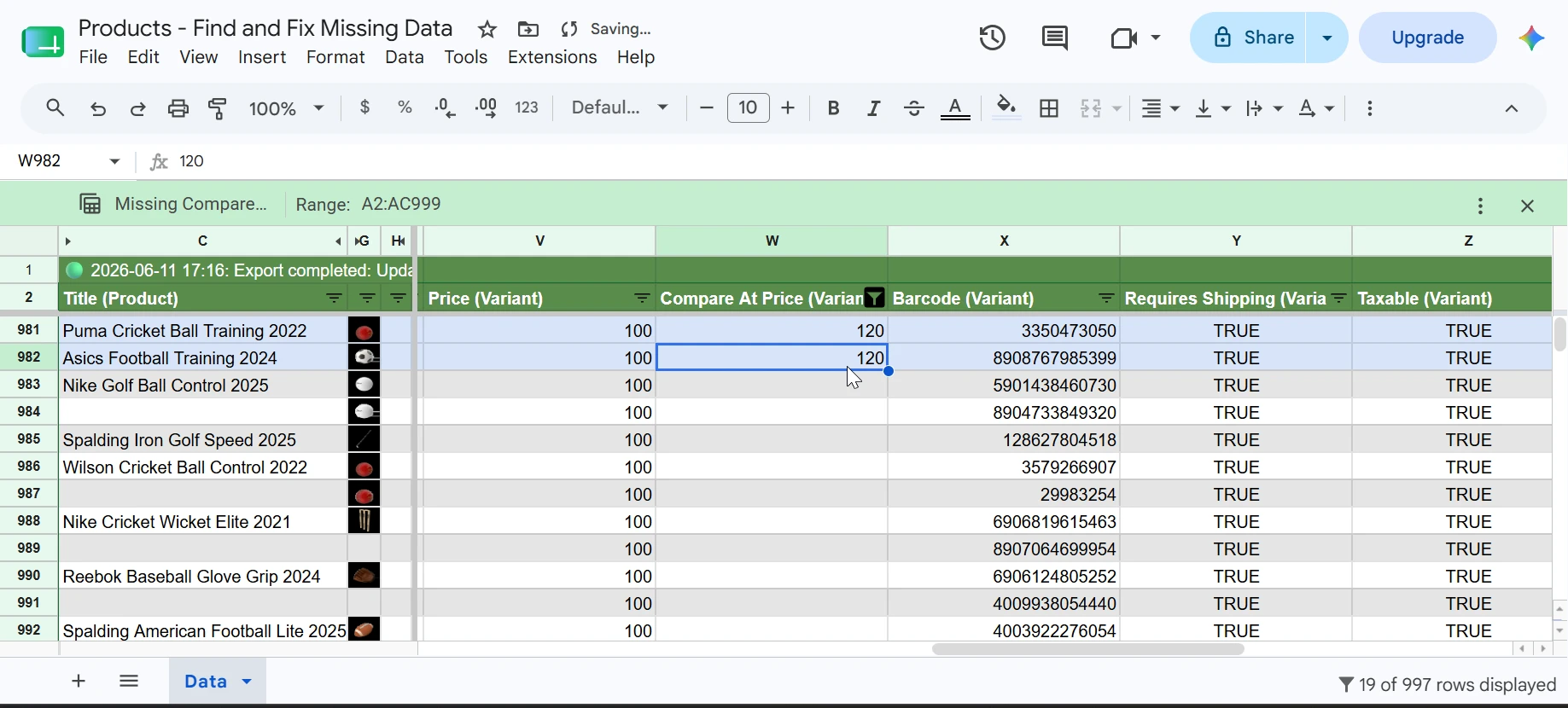
Export, edit, import - three steps
The workflow never changes: Export pulls the latest data from Shopify into your sheet. You make changes. Import validates every row and syncs only what changed back to Shopify. No CSV downloads, no copy-paste, no risk of overwriting data you didn't touch.
Fix it before Google does it for you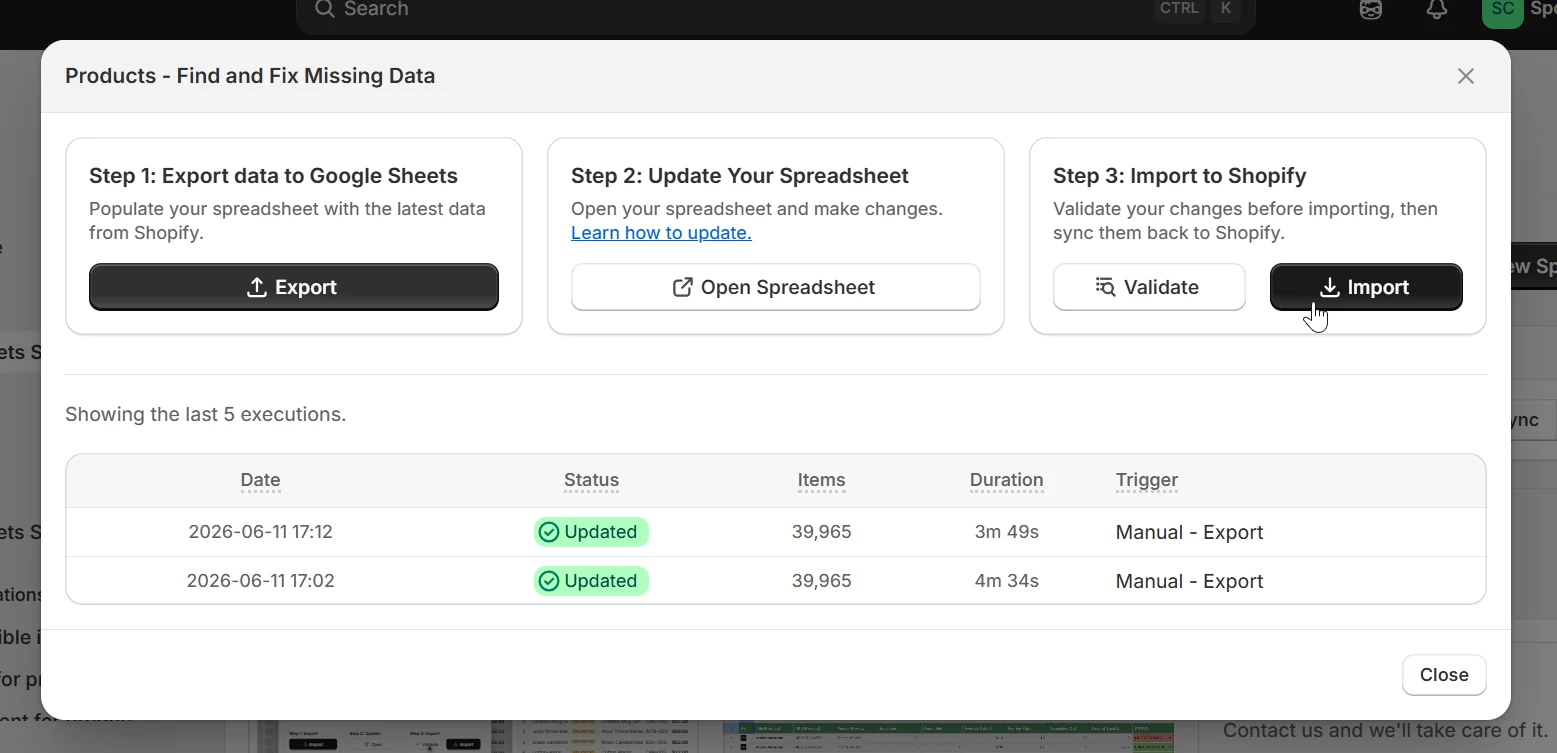
When to run a catalog audit
The same template works for one-time cleanup and ongoing hygiene - whichever situation you're in.
SEO recovery
Filter for missing SEO titles and meta descriptions across your entire catalog. Bulk-write them in Sheets, import once. Faster than editing each product in Shopify admin.
Launch readiness
Before a sale or season launch, filter for missing compare-at prices and blank descriptions. Fix everything in one sheet instead of clicking through individual product pages.
New product onboarding
When a supplier sends a bulk import, filter for missing SKUs, barcodes, and images immediately. Catch gaps before the products go live.
Ongoing catalog hygiene
Schedule a weekly export and keep the sheet open as your catalog QA dashboard. Any new gaps show up in the next export and get fixed in the same sheet.
Frequently asked questions
Which fields can I audit?
Any product or variant field Shopify exposes: SEO title, meta description, body HTML, images, tags, vendor, product type, status, SKU, barcode, price, compare-at price, weight, cost per item, and metafields. You choose which columns to export when setting up your sheet.
How do the pre-built filter views work?
When eCommix creates the sheet it adds named filter views for the most common gaps - Missing SEO Title, Missing Price, Missing Body HTML, Missing Image, Missing SKU, and more. Open Data → Change view in Google Sheets to switch between them instantly. Each view shows only the rows with a blank in that field.
Will syncing overwrite fields I didn't change?
No. eCommix only writes back the cells you actually edited. If a row's SEO title changed but the meta description didn't, only the SEO title is updated in Shopify. Unchanged cells are ignored entirely.
Can I audit a specific collection instead of the whole catalog?
Yes. When setting up your export you can filter by collection, product type, vendor, or any other criteria so your sheet only contains the products you want to review.
How many products can I audit at once?
There's no hard product limit. Large catalogs paginate automatically during export. You can also filter to a specific collection or vendor to work in smaller batches.
Clean up your Shopify catalog today
Free plan available. Works with any Shopify store.
Fix your catalog with Google Sheets